Every gaming PC reaches a point where performance no longer satisfies—frame rates drop in new releases, settings must
be lowered, or competitive disadvantages become noticeable. Rather than replacing the entire system, strategic
component upgrades can restore and exceed original performance at a fraction of complete system cost. Knowing which
components to upgrade first maximizes the return on investment while avoiding wasteful spending on changes that
provide minimal benefit.
The upgrade decision depends on identifying which component currently limits overall system performance. A powerful
graphics card paired with an outdated processor creates CPU bottlenecks that upgrading the GPU cannot solve.
Similarly, inadequate RAM or slow storage can drag down performance despite capable processing hardware.
Understanding these relationships guides effective upgrade prioritization.
This comprehensive guide examines gaming PC upgrade strategy for 2026, helping you identify performance bottlenecks,
prioritize upgrade investments, understand component compatibility, and execute upgrades successfully. Whether
planning a single component upgrade or multi-step system improvement, this guide provides the framework for
effective decision-making.
I. Understanding Performance Bottlenecks
Before purchasing any upgrade, identifying which component currently limits performance prevents wasted investment.
Upgrading a component that isn’t the bottleneck provides minimal benefit while the actual limitation remains
unaddressed.
Identifying CPU Bottlenecks
CPU bottlenecks occur when the processor cannot feed data to the graphics card fast enough, leaving GPU resources
partially idle. This typically manifests as lower-than-expected frame rates despite the GPU operating well below
maximum utilization. CPU bottlenecks become more apparent at lower resolutions and with lower graphics settings,
where reduced GPU workload shifts the performance limitation toward processing power.
Monitoring tools reveal CPU bottlenecks through high CPU utilization (approaching 100% on relevant threads) combined
with low GPU utilization (below 90-95%). Games with significant CPU demands—open-world titles, complex simulations,
and games with many active entities—more frequently encounter CPU limitations. Titles like Cyberpunk 2077, Microsoft
Flight Simulator, and Cities: Skylines 2 often expose CPU bottlenecks on older processors.
Single-core performance matters more than core count for many games. An older 8-core processor with lower single-core
speeds may bottleneck performance more than a newer 6-core processor with higher per-core performance. Monitoring
individual core utilization can reveal whether games are fully utilizing available cores or limited by single-thread
performance.
Identifying GPU Bottlenecks
GPU bottlenecks represent the desirable scenario for gaming—the graphics card operates at full capacity while other
components wait for it. This indicates that upgrading the GPU would directly increase performance, with the rest of
the system ready to support higher-end graphics hardware.
GPU bottlenecks show as high GPU utilization (95-100%) with lower CPU utilization. Performance scales with
resolution: higher resolutions increase GPU workload while CPU demands remain similar. If lowering resolution
significantly increases frame rates, the GPU is likely the limiting factor.
Most gaming systems should be GPU-limited for optimal performance. Upgrading to match this state ensures you’re
getting maximum value from your graphics investment rather than leaving GPU capability unused due to other
limitations.
Identifying Memory Bottlenecks
RAM bottlenecks manifest as stuttering, frame time inconsistency, and performance degradation during extended
sessions. Insufficient memory capacity forces systems to use slower storage as virtual memory, dramatically
impacting performance. Slow memory speeds can also limit performance, particularly on AMD Ryzen platforms where
memory speed affects Infinity Fabric performance.
Monitor RAM usage during gaming sessions using Task Manager or dedicated monitoring software. If usage consistently
approaches or exceeds physical RAM capacity (causing pagefile usage), additional memory capacity would provide
immediate benefit. Compare your memory speed against maximum motherboard specifications to identify speed upgrade
potential.
Identifying Storage Bottlenecks
Storage bottlenecks primarily affect loading times, texture streaming, and install/update speeds rather than frame
rates during gameplay. However, games with extensive streaming—open-world titles loading assets as you move—can
experience stuttering and pop-in when storage cannot deliver data fast enough.
DirectStorage technology in Windows 11 and modern games shifts some loading work from CPU to GPU, but requires NVMe
SSD storage to function. Games optimized for DirectStorage gain meaningful loading time improvements from fast NVMe
drives compared to SATA SSDs or traditional hard drives.
II. Component Upgrade Priority Guide
While individual situations vary, the following priority order addresses the most common gaming performance
limitations effectively.
Priority 1: Graphics Card Upgrade
For most gaming systems, the graphics card provides the most significant gaming performance improvement per dollar
spent. GPU upgrades directly increase frame rates, enable higher resolution gameplay, and allow increased graphics
settings. In GPU-limited scenarios (the target state for gaming systems), upgrading the graphics card provides
near-linear performance improvements.
When to prioritize GPU upgrade:
- GPU utilization consistently at 95-100% during gaming
- CPU utilization remains below 80% during gaming
- Current GPU is 3+ years old
- Frame rates fall below your monitor’s refresh rate at desired settings
- Ray tracing or DLSS 3 Frame Generation desired but unsupported
Current GPU Upgrade Recommendations (2026):
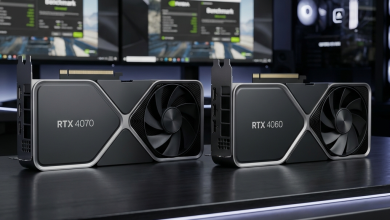
For 1080p 144Hz gaming: The NVIDIA GeForce RTX 4060 ($299-$349) delivers excellent 1080p performance with DLSS 3
support. The AMD Radeon RX 7600 ($269-$299) provides strong 1080p performance at lower pricing, though without
NVIDIA’s ray tracing and DLSS advantages.
For 1440p 144Hz gaming: The NVIDIA GeForce RTX 4070 Super ($549-$599) offers the best balance of 1440p performance
and value. The AMD Radeon RX 7800 XT ($479-$529) provides competitive performance with better raw rasterization at
this resolution tier.
For 4K 60Hz+ gaming: The NVIDIA GeForce RTX 4080 Super ($999-$1,099) delivers strong 4K performance with excellent
ray tracing capability. The AMD Radeon RX 7900 XTX ($899-$999) excels at 4K rasterization with competitive pricing.
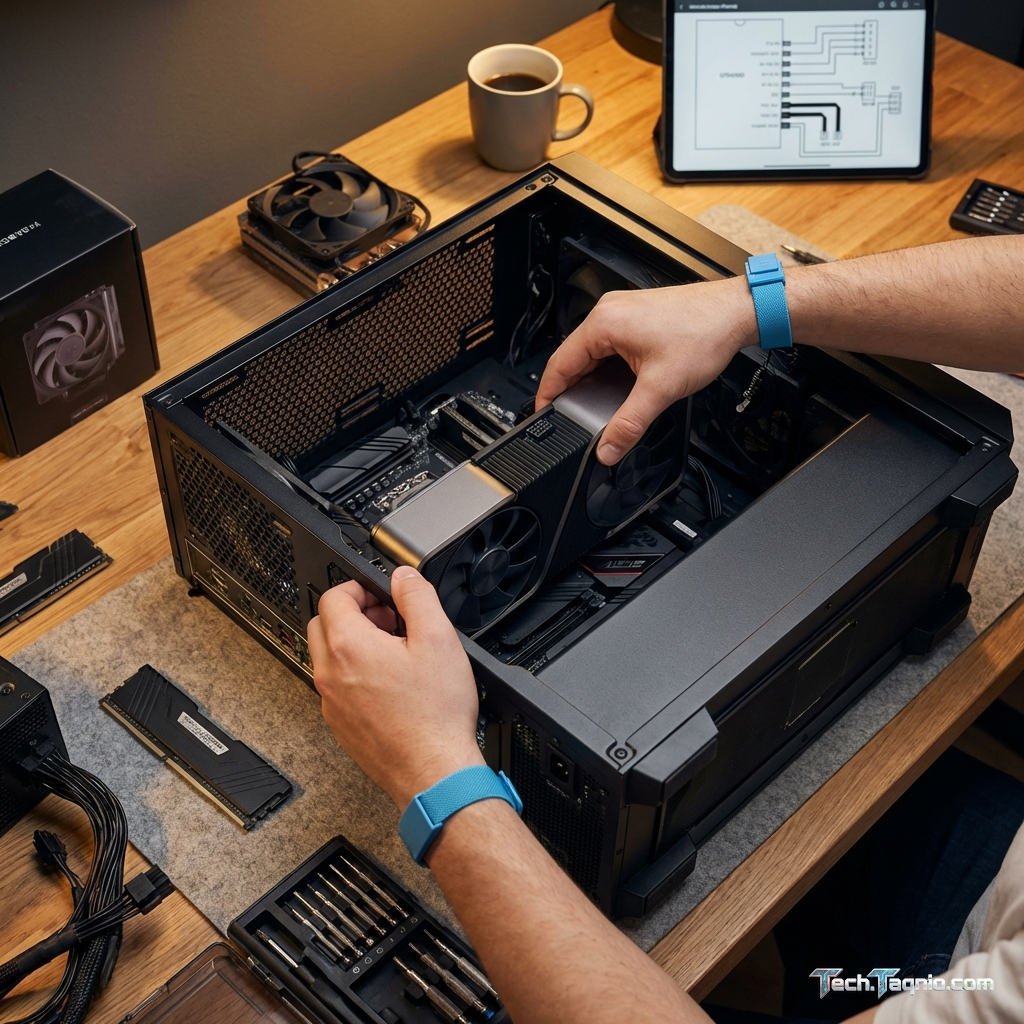
Compatibility considerations: Verify power supply provides adequate wattage and necessary power
connectors. Check physical GPU dimensions against case clearance. Confirm PCIe slot generation (though PCIe 3.0
provides sufficient bandwidth for current cards).
Priority 2: RAM Upgrade
Memory upgrades provide substantial benefit when existing capacity proves insufficient or speed limitations impact
performance. Modern games increasingly demand 16GB RAM as minimum, with 32GB recommended for comfortable
multitasking and future-proofing.
When to prioritize RAM upgrade:
- Current capacity under 16GB for gaming
- RAM usage frequently exceeds 80% of capacity during gaming
- System uses pagefile heavily during gaming (visible stuttering)
- Running AMD Ryzen CPU with slow memory (under 3200MHz DDR4 or 4800MHz DDR5)
- Planning to stream or run additional applications while gaming
RAM Upgrade Recommendations:
For DDR4 systems: Upgrade to 32GB (2×16GB) DDR4-3600 CL16 for optimal Ryzen performance or DDR4-3200 CL16 for Intel
systems. Quality kits from G.Skill, Corsair, or Kingston cost $70-$100 for 32GB configurations.
For DDR5 systems: 32GB (2×16GB) DDR5-6000 provides the current sweet spot balancing performance and value, typically
$120-$160. Faster kits exist but provide diminishing returns relative to increased cost.
Compatibility considerations: Verify motherboard maximum memory speed support. Match voltage and
timing specifications for multi-kit installations. Enable XMP/EXPO profiles in BIOS after installation.
Priority 3: Storage Upgrade
Storage upgrades improve loading times, reduce texture pop-in, and ensure adequate capacity for modern game
installations. Games now commonly exceed 100GB, making storage capacity a practical concern alongside performance.
When to prioritize storage upgrade:
- Still using traditional hard drive for game storage
- Current SSD is SATA-based (300-500MB/s speeds)
- Storage capacity consistently near maximum
- Playing games with DirectStorage optimization
- Experiencing texture streaming stuttering in open-world games
Storage Upgrade Recommendations:
For primary game storage: 1TB PCIe 4.0 NVMe SSD provides excellent performance for $80-$100. The Samsung 990 Pro, WD
Black SN850X, and Seagate FireCuda 530 lead performance rankings. The Crucial P3 Plus offers budget-friendly PCIe
4.0 performance at $70-$80 per terabyte.
For expanded capacity: 2TB NVMe drives drop below $150 from quality manufacturers, providing substantial game library
storage. The Kingston Fury Renegade and WD Black SN770 offer excellent value at higher capacities.
Compatibility considerations: Confirm available M.2 slots and PCIe generation support. PCIe 4.0
drives work in PCIe 3.0 slots at reduced speeds. Ensure thermal management exists for drives in
direct-airflow-limited positions.
Priority 4: CPU Upgrade
CPU upgrades provide meaningful gaming improvement only when processor limitations create bottlenecks. The investment
required—often including new motherboard and memory—makes CPU upgrades less efficient than other options unless
clearly justified.
When to prioritize CPU upgrade:
- CPU utilization consistently at 90-100% during gaming
- GPU utilization remains below 90% while CPU maxed
- Current CPU is 5+ years old
- Single-core performance notably behind current processors
- Notable performance gap exists between your system and same-GPU systems with newer CPUs
CPU Upgrade Strategy:
Platform upgrade (new CPU + motherboard + RAM): This approach provides the best performance improvement but highest
cost. Current options include Intel Core i5-14600K ($319) + Z790 motherboard ($200-$300) + DDR5 RAM ($120+), or AMD
Ryzen 7 7800X3D ($449) + X670E motherboard ($250-$350) + DDR5 RAM.
Same-platform upgrade: If your motherboard supports newer processors, upgrading CPU only provides meaningful
improvement at lower cost. Intel 12th gen systems upgrade to 13th/14th gen; AMD AM4 systems upgrade to Ryzen 5000
series; AMD AM5 systems upgrade within the Ryzen 7000/8000 range.
Important note: The AMD Ryzen 7 7800X3D currently leads gaming performance despite lower core
counts, thanks to its 3D V-Cache technology. For gaming-focused upgrades, this processor provides exceptional value
despite higher per-core cost.
Priority 5: Power Supply and Cooling
These components don’t directly improve performance but enable safe operation of upgraded components. Inadequate
power supplies risk system instability or damage, while insufficient cooling causes throttling that negates hardware
capability.
When to address power and cooling:
- Current PSU lacks capacity for planned GPU upgrade
- System shuts down or becomes unstable under gaming load
- CPU or GPU temperatures cause thermal throttling
- Planning high-power components (high-end GPUs, overclocked CPUs)
Power Supply Recommendations:
850W provides adequate headroom for most high-end single-GPU systems, including RTX 4080 combinations. Quality 80+
Gold units from Corsair, SeaSonic, and EVGA cost $100-$140. The 1000W and higher units address extreme builds with
RTX 4090 or power-hungry workload requirements.
Cooling Recommendations:
Tower air coolers like the Noctua NH-D15 ($90) or DeepCool AK620 ($65) handle any consumer CPU without the complexity
(and potential failure modes) of liquid cooling. 240-280mm AIO liquid coolers ($100-$180) provide equivalent cooling
with lower height profiles and cleaner aesthetics.
III. Avoiding Common Upgrade Mistakes
Understanding common upgrade pitfalls prevents wasted spending and ensures successful improvement.
Upgrading Non-Bottleneck Components
The most common upgrade mistake: purchasing a new GPU when CPU bottlenecks limit performance, or upgrading RAM when
GPU limitations cause low frame rates. Always identify the actual bottleneck before purchasing upgrades. Monitoring
tools during gameplay reveal which component operates at capacity while others have headroom.
Ignoring Platform Limitations
Upgrading one component may shift bottlenecks elsewhere. Installing an RTX 4070 in a system with an Intel Core
i5-6600K creates immediate CPU bottleneck, wasting much of the new GPU’s capability. Evaluate whether single
component upgrades can provide meaningful benefit within your existing platform, or whether platform limitations
require broader upgrade approach.
Overlooking Power and Thermal Requirements
Modern high-performance GPUs require substantial power and cooling. Attempting to install an RTX 4070 Ti in a system
with 500W PSU causes instability or fails to operate properly. Similarly, powerful CPUs in cases with inadequate
airflow throttle away potential performance. Plan for infrastructure requirements alongside performance upgrade
specifications.
Chasing Marginal Improvements
Upgrading from last-generation to current-generation hardware often provides disappointingly small improvements
relative to cost. Moving from an RTX 4070 to an RTX 4070 Super yields perhaps 10-15% improvement at significant
expense. Larger generational jumps—RTX 3060 to RTX 4070, for example—provide more noticeable improvements per dollar
spent.
Neglecting Used Market Opportunities
Previous-generation hardware often provides excellent value on the used market. An RTX 3080 purchased for $350-$400
used delivers performance comparable to a $450 new RTX 4060 Ti, at lower cost and with more VRAM. Research used
market pricing before assuming new purchases represent best value.
IV. Practical Upgrade Scenarios
The following scenarios demonstrate upgrade priority application for common situations.
Scenario A: Budget Gaming PC (~$700-800 Original Build)
Typical configuration: Ryzen 5 3600, GTX 1660 Super, 16GB DDR4-3200, 500GB SATA SSD
Upgrade priority:
- GPU → RTX 4060 ($299): Dramatic gaming improvement, GPU is clear bottleneck
- Storage → 1TB NVMe SSD ($80): Loading time improvement, capacity expansion
- RAM → 32GB DDR4-3600 ($75): Future-proofing, minimal immediate gaming impact
- CPU upgrade: Consider only if encountering CPU bottlenecks after GPU upgrade
Total useful budget: $379 for GPU + storage provides major improvement. CPU remains capable for
1080p gaming with RTX 4060.
Scenario B: Mid-Range Gaming PC (~$1,200-1,500 Original Build)
Typical configuration: Ryzen 5 5600X, RTX 3070, 16GB DDR4-3600, 1TB NVMe SSD
Upgrade priority:
- GPU → RTX 4070 Super ($549): Strong 1440p improvement, worth skipping tier if possible
- RAM → 32GB DDR4-3600 ($75): Smoother multitasking, future-proofing
- CPU → Ryzen 7 5800X3D ($299 if available): Same platform, significant gaming improvement
Strategy notes: The Ryzen 5 5600X remains capable for most games. GPU upgrade provides clearest
benefit. The 5800X3D represents an exceptional same-platform upgrade if gaming CPU improvement is desired.
Scenario C: Aging High-End System (~$2,000 Original Build, Now 4+ Years Old)
Typical configuration: Intel Core i7-9700K, RTX 2080, 32GB DDR4-3000, 2TB NVMe SSD
Upgrade priority:
- Platform upgrade (CPU + motherboard + DDR5): The aging platform limits potential gains from GPU upgrade
- GPU → RTX 4070 Ti Super ($799): After platform upgrade, provides meaningful improvement
Strategy notes: This situation often warrants phased major upgrade or complete system replacement.
The CPU platform limitations prevent extracting full value from modern high-end GPUs. Evaluate whether invested
upgrade cost approaches reasonable new system pricing.
V. Conclusion
Effective gaming PC upgrades require understanding current performance limitations before purchasing components.
Monitoring tools reveal whether CPU, GPU, RAM, or storage currently bottleneck performance, enabling targeted
upgrades that maximize improvement per dollar spent.
For most gaming systems, GPU upgrades provide the most significant improvement when GPU-limited (the desirable gaming
scenario). RAM upgrades benefit systems with insufficient capacity or speed. Storage upgrades primarily affect
loading times and open-world game smoothness. CPU upgrades, while potentially significant, often require platform
changes that increase total cost substantially.
Avoid common mistakes: don’t upgrade non-bottleneck components, plan for power and thermal requirements, and research
used market opportunities that might provide better value than new purchases. Consider whether accumulated upgrade
costs approach reasonable new system pricing, at which point fresh builds may provide better overall value.
For component selection guidance, explore our GPU buying guide and RAM selection guide for detailed
recommendations.