The resolution debate between 1440p and 4K represents one of gaming’s most significant display decisions. Both
resolutions offer meaningful advantages over 1080p, but they target different priorities and hardware capabilities.
Understanding the practical implications of each resolution helps guide purchasing decisions aligned with your
actual gaming needs.
The choice isn’t simply about image clarity—performance requirements, hardware costs, and gaming preferences all
influence the optimal resolution. A 4K monitor paired with inadequate GPU power delivers worse experiences than a
well-matched 1440p setup. Conversely, running capable hardware on lower resolution wastes potential.
This comprehensive comparison examines 1440p versus 4K for gaming in 2026. We’ll analyze performance requirements,
visual quality differences, hardware recommendations, and practical considerations to determine which resolution
serves your needs best.
I. Understanding the Resolutions
Before comparing gaming experiences, understanding what each resolution actually offers clarifies the fundamental
differences.
1440p (2560×1440) Specifications
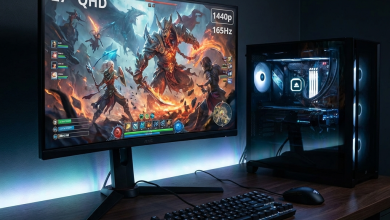
Also called QHD (Quad High Definition), 1440p provides 3.69 million pixels—78% more than 1080p’s 2.07 million. At
typical 27-inch monitor sizes, this translates to approximately 109 pixels per inch (PPI), delivering notably
sharper images than 1080p.
The resolution strikes an excellent balance: visibly sharper than 1080p without the extreme GPU demands of 4K. Most
mid-range to high-end GPUs can drive 1440p at high frame rates, making smooth gaming achievable without flagship
hardware.
4K (3840×2160) Specifications
4K/UHD provides 8.29 million pixels—exactly four times 1080p’s count and 2.25 times 1440p. At 27 inches, this
delivers approximately 163 PPI; at 32 inches, approximately 138 PPI. Either configuration provides exceptional
clarity and fine detail visibility.
The increased pixel count demands proportionally more GPU power. Rendering 4K frames requires processing 2.25 times
more pixels than 1440p—a significant computational difference directly impacting frame rates and GPU requirements.
II. Visual Quality Comparison
The fundamental reason to choose higher resolution is improved image quality. Understanding the actual visual
differences helps determine whether the upgrade justifies its costs.
Clarity and Detail
4K provides objectively sharper images with finer detail visibility. Textures appear more detailed, text is crisp,
and distant objects render more clearly. In games with high-quality assets, 4K showcases developer artwork as
intended.
The visibility of this improvement depends on viewing distance and screen size. At typical desk distances (2-3 feet),
4K benefits become clearly apparent at 27 inches and larger. At greater viewing distances or smaller screen sizes,
the difference diminishes.
1440p Quality Reality
1440p at 27 inches provides excellent sharpness that satisfies most gamers. The resolution handles anti-aliasing
needs well, text is readable without scaling issues, and games look genuinely good. Many gamers upgrading from 1080p
find 1440p delivers the clarity improvement they sought.
The sometimes-overlooked reality: 1440p looks great. While 4K objectively looks better, 1440p is not a
compromise—it’s a high-quality gaming experience that happens to have something superior above it.
Practical Visibility Considerations
Human visual acuity limits resolution perception at certain combinations of screen size and viewing distance. At
typical gaming setups:
27″ at 2-3 feet: 4K improvement clearly visible; 1440p already sharp
32″ at 3-4 feet: 4K strongly recommended for clarity; 1440p can show pixels
24-25″ at 2-3 feet: 1440p achieves excellent PPI; 4K improvement subtle
III. Performance Requirements
Resolution directly impacts frame rate—higher resolutions demand more GPU power. Understanding performance
requirements helps match resolution choice to hardware reality.
GPU Performance Scaling
Moving from 1440p to 4K typically reduces frame rates by 40-50% with identical settings. A GPU achieving 120 FPS at
1440p might only manage 65-80 FPS at 4K. This scaling applies fairly consistently across game types and GPU models.
| GPU | 1440p High (FPS) | 4K High (FPS) | 4K Viability |
|---|---|---|---|
| RTX 4060 | 80-110 | 40-55 | Not Recommended |
| RTX 4070 | 100-140 | 55-75 | Playable 60 FPS |
| RTX 4070 Ti Super | 130-170 | 70-95 | Good 60+ FPS |
| RTX 4080 Super | 160-200+ | 90-120 | Excellent |
| RTX 4090 | 200+ | 110-150 | Optimal |
DLSS and FSR Impact
Upscaling technologies like NVIDIA DLSS and AMD FSR can render at lower resolution and upscale to 4K, partially
bridging the performance gap. Quality modes typically enable 60-70% of native performance at near-native visual
quality.
This technology makes 4K more accessible to mid-range hardware, though native rendering still provides optimal image
quality. Consider DLSS/FSR as extending 4K viability rather than eliminating the performance gap entirely.
High Refresh Rate Considerations
High refresh rate gaming compounds resolution demands. Achieving 144Hz at 4K requires approximately double the GPU
power of 144Hz at 1440p. Only flagship GPUs like the RTX 4090 consistently deliver high-refresh 4K gaming.
If high refresh rates matter to your gaming, 1440p provides far more achievable targets. 144Hz at 1440p is manageable
for upper mid-range hardware; 144Hz at 4K remains aspirational for most builds.
IV. Cost Analysis
The resolution choice affects total system cost significantly. Analyzing complete costs helps budget-conscious
decisions.
Monitor Costs
1440p 144-165Hz IPS: $250-400 for quality options
1440p 240Hz IPS: $400-600 for premium models
4K 144Hz IPS: $600-900 for comparable quality
4K 144Hz OLED: $900-1500 for premium options
4K monitors carry approximately 1.5-2x price premium over equivalent 1440p displays. This gap has narrowed but
remains significant.
GPU Requirements
Adequate 4K gaming requires more powerful GPUs than 1440p. For comfortable 4K 60+ FPS gaming:
Minimum: RTX 4070 Ti / RX 7900 XT ($550-650)
Recommended: RTX 4080 Super / RX 7900 XTX ($750-1000)
Optimal: RTX 4090 ($1500-1800)
For comfortable 1440p 144Hz gaming:
Minimum: RTX 4070 / RX 7700 XT ($400-450)
Recommended: RTX 4070 Ti Super ($600-700)
Optimal: RTX 4080 Super ($750-850)
Total Cost Comparison
Quality 1440p 144Hz Setup:
Monitor: $350 + GPU: $500 = $850 total
Quality 4K 60Hz Setup:
Monitor: $700 + GPU: $700 = $1400 total
Quality 4K 100+ Hz Setup:
Monitor: $800 + GPU: $1000 = $1800 total
The price gap for comparable experience quality ranges from $500-1000 depending on target frame rates.
V. Gaming Style Considerations
Different gaming preferences align better with each resolution choice.
Competitive/Esports Gaming
Competitive gaming prioritizes frame rate over resolution. The smoothness advantage of 240Hz+ matters more than 4K
clarity for tracking opponents and reaction-dependent gameplay. 1440p (or even 1080p) at high refresh rates serves
competitive gaming better than 4K at lower frame rates.
Professional esports players predominantly use 1080p or 1440p monitors despite having access to any equipment. This
preference reflects competitive advantage from high refresh rates over resolution.
Single-Player/Immersive Gaming
Story-driven games emphasizing visual artistry benefit from 4K resolution. Games investing in detailed environments,
cinematic presentations, and atmospheric visuals reward higher resolution display. The clarity enhances immersion
and showcases developer artistry.
Frame rate flexibility in single-player games accommodates lower rates without competitive disadvantage. 60 FPS at 4K
often provides better single-player experience than 144 FPS at 1440p for immersive gaming.
Mixed Gaming Habits
Gamers playing varied titles face trade-off decisions. Options include:
1440p High Refresh: Optimal for competitive, excellent for everything else. The balanced choice for
varied gaming.
4K Flexible Frame Rate: Maximum quality when achievable, reduced settings when needed. Works if
visual quality matters more than consistent high frame rates.
VI. Future-Proofing Considerations
Display purchases typically last longer than GPU upgrades. Considering future hardware improvements affects
resolution decisions.
GPU Progress Trajectory
Each GPU generation improves 4K performance by approximately 30-50%. Hardware that struggles with 4K today will be
replaced by capable alternatives within 2-3 years. A 4K monitor purchase anticipates future GPU upgrades.
However, 1440p also benefits from GPU improvements—as high-refresh 1440p gaming. Better GPUs enable 240Hz+ gaming at
1440p, providing different but equally valuable future-proofing.
Content and Game Trends
Games increasingly support higher resolutions with improved asset quality. Future titles will showcase 4K
capabilities better than current games. Console targeting of 4K drives cross-platform asset quality upward.
Display Technology Evolution
Monitor technology improves continuously. 4K OLED pricing has dropped dramatically and will continue declining.
Today’s expensive 4K options become tomorrow’s mainstream choices.
VII. Recommendation Framework
Based on comprehensive analysis, clear recommendations emerge for different situations.
Choose 1440p If:
• Your GPU is RTX 4070 class or below
• You prioritize high refresh rate gaming (144Hz+)
• Competitive gaming represents significant playtime
• Budget constraints limit combined monitor and GPU spending
• Your desk setup places the monitor at typical viewing distances
Choose 4K If:
• Your GPU is RTX 4080 class or above
• Single-player immersive experience is your priority
• You’re comfortable with 60-100 FPS gaming
• Budget accommodates premium monitor and GPU costs
• You’ll also use the display for productivity benefiting from 4K
The “Best” Choice
For most gamers in 2026, 1440p provides optimal value. The resolution delivers excellent visual quality with
achievable performance on reasonable hardware budgets. The gap between “excellent” and “optimal” often doesn’t
justify the substantial additional investment 4K requires.
4K becomes the better choice specifically when hardware and budget support it properly. Underpowered 4K delivers
worse experience than well-matched 1440p. Ensure your complete setup—GPU, monitor, and budget—aligns with 4K
requirements before committing.
VIII. Conclusion
The 1440p versus 4K decision ultimately reduces to matching resolution with GPU capability, gaming priorities, and
budget reality. Both resolutions provide excellent gaming experiences when properly matched with supporting
hardware.
1440p remains the sweet spot for most gamers—the resolution where quality, performance, and cost align optimally. 4K
represents the enthusiast tier for those with flagship hardware and immersive gaming priorities.
Avoid the trap of pursing specifications without supporting hardware. A well-matched 1440p setup outperforms a
struggling 4K configuration in practical gaming experience. Choose the resolution your complete setup can properly
serve.
For further display guidance, explore our articles on best gaming monitors
2026 and choosing the right
gaming laptop for portable gaming considerations.