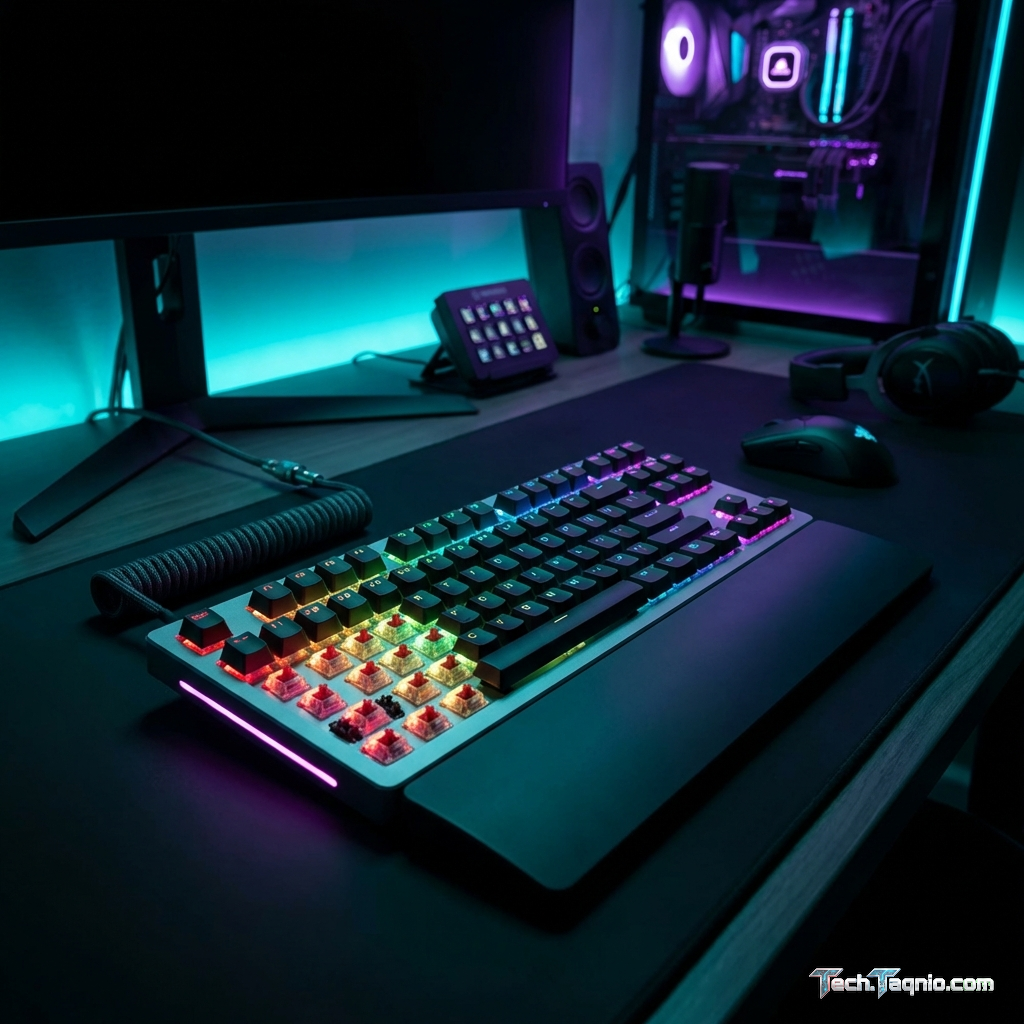
RGB lighting has transformed from niche enthusiast feature to standard gaming peripheral inclusion over the past
decade. Keyboards glow, mice pulse, headsets illuminate, and entire desk setups coordinate in synchronized light
shows. Yet for all its prevalence, RGB remains controversial—some gamers consider it essential to their experience
while others view it as an unnecessary price inflator on otherwise identical products.
The question of RGB value extends beyond personal aesthetic preferences. RGB implementations affect pricing, software
requirements, system resources, and sometimes even peripheral performance. Understanding what RGB actually
provides—and what it costs—helps make informed purchasing decisions rather than paying premium prices for features
that may go unused.
This comprehensive guide examines RGB gaming peripherals honestly, analyzing the technology, assessing real costs and
benefits, comparing RGB versus non-RGB options, and providing guidance for determining whether RGB lighting
justifies its typical price premium for your specific situation.
I. Understanding RGB Technology in Gaming Peripherals
Before evaluating RGB value, understanding what the technology involves clarifies both capabilities and limitations.
How RGB Lighting Works
RGB refers to Red-Green-Blue LED lighting that combines these three primary colors to produce a wide spectrum of
visible colors. Each LED typically contains tiny red, green, and blue diodes that illuminate at varying intensities
to create desired colors. White light results from maximum intensity on all three colors; off represents all diodes
inactive.
Gaming peripherals implement RGB through several approaches:
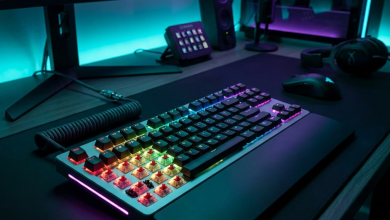
Per-key RGB (keyboards): Individual LEDs under each keycap enable complete customization. Each key
can display different colors, creating effects like reactive typing, game-specific key highlighting, or complex
animated patterns.
Zone RGB: Multiple LEDs grouped into zones rather than individual control. Reduces cost while
enabling color variety—common in mice, headsets, and budget keyboards.
Single-color RGB: All LEDs display the same color simultaneously. Simpler implementation with
limited customization but lower cost.
Addressable RGB: Advanced per-LED control enabling complex effects, wave patterns, and external
synchronization. Premium implementation in high-end peripherals.
RGB Software Ecosystems
RGB peripherals typically require companion software for customization beyond basic functionality:
Corsair iCUE: Comprehensive control for Corsair peripherals and compatible components. Feature-rich
but resource-intensive with significant RAM usage.
Razer Synapse: Controls Razer RGB ecosystem with game integration and macro functionality. Requires
account creation and internet connectivity for full features.
Logitech G Hub: Manages Logitech G peripherals with audio, lighting, and macro control. Improved
from earlier Logitech software but occasionally unstable.
SteelSeries GG: Unified software for SteelSeries devices with game integration features.
Each manufacturer’s ecosystem creates vendor lock-in for synchronized lighting. Mixing brands results in multiple
software installations or mismatched lighting that undermines the aesthetic appeal RGB supposedly provides.
Resource Impact of RGB Software
RGB control software imposes measurable system overhead:
RAM usage: 100-500MB depending on software and connected devices
CPU usage: 0.5-3% during animations and synchronization
Startup impact: Additional services loading with Windows
Disk space: 200MB-2GB for full software installations
These resources prove negligible on modern gaming systems but accumulate when running multiple RGB applications
simultaneously. Low-spec systems or those already resource-constrained may notice performance impacts from RGB
software overhead.
II. RGB Pricing Analysis: What You’re Actually Paying
Quantifying RGB’s cost premium reveals whether the feature represents significant expense or marginal addition.
Keyboard RGB Premium
Mechanical keyboard pricing with and without RGB reveals typical premiums:
Budget tier: RGB adds $10-$20 to base pricing. Non-RGB mechanical keyboards start around $40-$50;
RGB versions begin at $55-$70.
Mid-range tier: RGB premium shrinks proportionally. $80 non-RGB boards compete with $90-$100 RGB
alternatives—approximately 15-25% premium.
Premium tier: RGB becomes standard rather than premium feature. Keyboards above $120 rarely offer
non-RGB versions, making comparison difficult.
Per-key RGB commands higher premiums than zone lighting. Budget per-key RGB keyboards start around $50-$60, while
non-RGB or single-zone alternatives exist below $40.
Mouse RGB Premium
Gaming mice show smaller absolute RGB premiums:
Budget tier: RGB adds $5-$10 to basic gaming mice. Non-RGB gaming mice start around $20; RGB
versions begin at $25-$30.
Mid-range tier: RGB essentially standard. Most $40-$80 gaming mice include RGB without explicit
premium—manufacturers assume buyers expect the feature.
Premium tier: RGB universal. Finding premium gaming mice without RGB proves difficult, making
non-RGB comparison impossible.
Mouse RGB premiums prove minimal compared to keyboards due to smaller LED counts and simpler implementations.
Headset RGB Premium
Gaming headset RGB sits between keyboard and mouse premiums:
Budget tier: RGB adds $5-$15 to base headset pricing. Non-RGB gaming headsets start around $30; RGB
versions begin at $40-$50.
Mid-range tier: RGB adds approximately 10-15% to comparable non-RGB models.
Premium tier: RGB becomes standard feature. High-end headsets universally include RGB, sometimes
minimal on ear cups only.
Headset RGB proves least visible during actual use—you can’t see your own headset while wearing it. Partner or
streaming visibility represents the primary benefit.
Total RGB Ecosystem Cost
A complete RGB peripheral setup compared to equivalent non-RGB alternatives:
Budget RGB setup: RGB keyboard ($60) + RGB mouse ($30) + RGB headset ($50) = $140
Equivalent non-RGB: Standard keyboard ($40) + Gaming mouse ($20) + Gaming headset ($35) = $95
RGB premium: ~$45 (47% markup)
Mid-range RGB setup: RGB keyboard ($100) + RGB mouse ($60) + RGB headset ($80) = $240
Equivalent non-RGB: Similar quality without RGB = ~$180
RGB premium: ~$60 (33% markup)
Premium RGB setup: Premium keyboard ($180) + Premium mouse ($90) + Premium headset ($150) = $420
Equivalent non-RGB: Nearly impossible comparison—RGB standard at this tier
III. The Case For RGB Peripherals
RGB provides genuine value in specific scenarios and for certain users.
Aesthetic Enhancement
RGB fundamentally exists for visual appeal, and for users who value gaming space aesthetics, the feature delivers
genuine satisfaction. A coordinated RGB setup creates atmosphere, transforms mundane desks into intentional gaming
spaces, and provides visual engagement beyond screen content.
The psychological impact of environment on experience isn’t trivial—dedicated gaming spaces with intentional design
encourage gaming sessions and create separation between work and play. RGB contributes to this environment creation
effectively when users value the aesthetic outcome.
Functional Lighting Applications
RGB offers practical utility beyond pure aesthetics:
Key highlighting: Games can illuminate relevant keys—WASD for movement, ability keys for cooldowns,
health status indicators. Some games include native RGB integration showing in-game status through keyboard
lighting.
Low-light visibility: RGB-backlit keyboards enable comfortable gaming in dim environments. While
white backlighting provides the same function, RGB accomplishes this while also offering aesthetic customization.
Profile differentiation: Color-coded profiles help distinguish between game-specific or
application-specific configurations. Purple for creative work, blue for gaming, red for streaming—visual
confirmation of active profiles.
Notification indicators: Some implementations use RGB for notifications—Discord message indicators,
CPU temperature warnings, game event alerts.
Content Creation and Streaming
RGB provides measurable value for content creators and streamers:
Visual interest: Coordinated RGB setups add production value to streams and video content. Viewers
spending hours watching appreciate visual variety in creator spaces.
Brand identity: Consistent RGB color themes reinforce channel identity and visual branding. Purple
lighting becomes associated with specific creators, enhancing recognition.
Subscriber engagement: Some RGB software integrates with streaming platforms, allowing subscribers
to trigger lighting effects through donations or chat commands.
For creators monetizing content, RGB investment provides legitimate return through enhanced production quality and
viewer engagement.
Social and Gaming Community Aspects
RGB plays a role in gaming culture and community:
Shared aesthetic language: Gaming setups posted to social media frequently feature RGB, creating
shared visual vocabulary among gaming communities.
LAN and social gaming: RGB setups attract attention and conversation at LAN parties and gaming
events.
Personal expression: Color choices and lighting patterns represent a form of self-expression within
gaming space constraints.
IV. The Case Against RGB Peripherals
Equally valid reasons exist for avoiding RGB premiums.
Cost Better Allocated Elsewhere
The $45-$60 RGB premium across a peripheral setup could alternatively fund:
- Better quality mechanical keyboard switches
- Upgraded mouse sensor (more impactful than RGB for gaming)
- Higher-quality headset drivers and audio
- Portion of GPU or display upgrade
For budget-conscious builders, RGB premiums represent pure aesthetic spending that could improve actual gaming
performance or quality. The $60 saved across peripherals contributes meaningfully toward component upgrades with
tangible gaming impact.
Software Bloat and Complexity
RGB software ecosystems create ongoing maintenance burden:
- Multiple software applications for mixed-brand setups
- Regular updates requiring attention
- Occasional software bugs causing peripheral malfunction
- Account requirements and internet connectivity dependencies
- Startup services impacting boot times
Users preferring minimal software complexity find RGB ecosystems frustrating. The peripheral should work when plugged
in—not require software downloads, account creation, and ongoing management.
Rapid Novelty Decay
RGB’s psychological impact diminishes quickly for many users:
Initial excitement: New RGB setups receive significant attention and customization effort.
Within weeks: Most users settle on single profile and stop adjusting lighting.
Within months: RGB runs on default settings or disabled entirely for many users.
Long-term: Premium paid for feature no longer actively used or appreciated.
The feature paid for at purchase proves worthless if interest fades before peripheral replacement.
Distraction and Eye Strain
RGB lighting creates potential downsides for focused gaming:
- Peripheral vision distraction from flashing or animated effects
- Bright lighting causing eye strain in dark environments
- Competitive gaming focus disrupted by visual clutter
- Blue light exposure concerns from extended RGB use
Serious competitive gamers often disable RGB during matches—paying premium for feature actively avoided during use.
V. When RGB Makes Sense
Worth the Premium If:
- You consistently appreciate and customize aesthetic elements
- Content creation or streaming forms part of your gaming activity
- Social sharing of gaming setup matters to you
- You commit to single-brand ecosystem for synchronization
- Budget comfortably accommodates premium without sacrificing performance
- Functional RGB features (key illumination, notifications) provide genuine utility
Skip RGB If:
- Budget constraints exist elsewhere in your build
- You dislike managing additional software
- Previous RGB purchases went unused after initial novelty
- Competitive gaming demands distraction-free focus
- Preference for minimalist or mature aesthetics
- Gaming in bright environments where RGB barely visible
Middle Ground Approach
For uncertain buyers, consider:
RGB keyboard only: Most visible and functionally useful RGB implementation. Skip RGB on mouse and
headset where visibility and utility diminish.
Budget RGB to test: Purchase inexpensive RGB peripheral to evaluate personal response before
committing to premium RGB ecosystem.
White backlighting alternative: Many keyboards offer white-only backlighting at lower premium than
full RGB—provides functional visibility without full RGB cost.
VI. Conclusion
RGB gaming peripherals provide genuine value for users who consistently appreciate aesthetic customization, create
content, or utilize functional lighting features. The technology transforms gaming spaces visually and offers
practical utility through key illumination and status indication.
However, RGB commands measurable price premiums—approximately 30-50% across budget peripheral setups. This premium
buys features with high novelty decay that many users disable or ignore within months of purchase. Software
ecosystems add complexity, resource overhead, and brand lock-in that some users find frustrating.
The honest answer to “is RGB worth it?” depends entirely on individual priorities. Buyers should evaluate their
history with aesthetic features, budget constraints, software tolerance, and genuine expected use before assuming
RGB either essential or wasteful.
For most gamers, the wisest approach starts with honest self-assessment: Will you actually use and appreciate RGB
consistently, or does the feature’s appeal fade once the peripheral sits on your desk? Answer that honestly, and the
purchasing decision becomes clear.
For related peripheral guidance, see our keyboard buying guide and wireless gaming mouse recommendations.