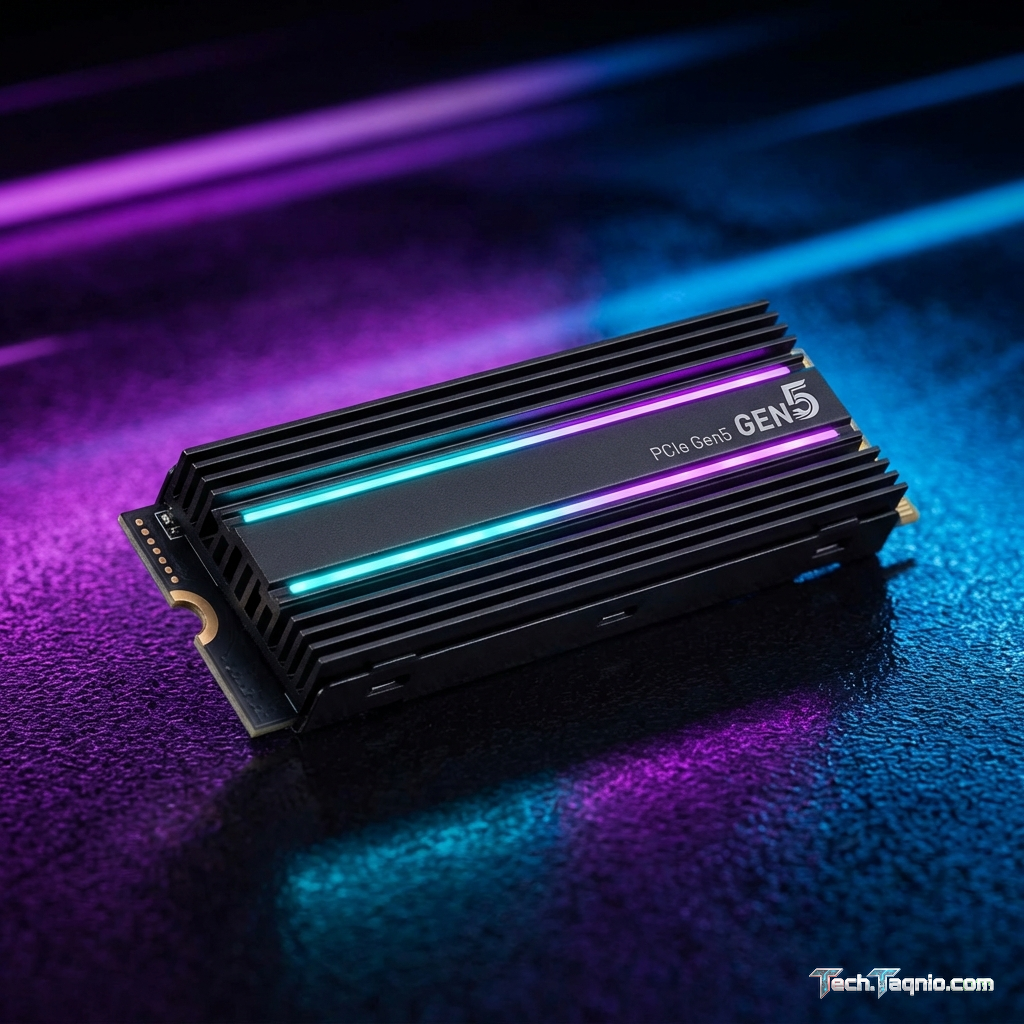
Storage technology has evolved dramatically from the era of mechanical hard drives, with modern NVMe SSDs delivering
speeds that transform gaming experiences through virtually eliminated loading times. The 2026 gaming landscape sees
PCIe 5.0 SSDs entering mainstream adoption while PCIe 4.0 drives have become the performance standard. Understanding
these technologies and their practical gaming benefits helps identify optimal storage solutions for different
budgets and performance requirements.
Game installation sizes have grown correspondingly with storage speed improvements, with modern AAA titles regularly
exceeding 100GB and some approaching 200GB. This reality makes storage capacity as important as speed—a fast SSD
becomes limiting if it can’t hold more than a few games simultaneously. Balancing speed, capacity, and budget
requires understanding which specifications deliver meaningful gaming benefits and which represent diminishing
returns.
This comprehensive guide examines gaming SSDs across the technology spectrum, from budget SATA drives to cutting-edge
PCIe 5.0 options. We’ll analyze real-world gaming performance, value propositions at different price points, and
help you select storage that optimizes your gaming experience without unnecessary spending.
I. Understanding Gaming SSD Technology
Before comparing specific products, understanding the technology underlying modern SSDs establishes context for
evaluating performance specifications and price differentials.
SATA vs NVMe: Interface Fundamentals
SATA (Serial ATA) SSDs use the same interface that previously connected hard drives, limiting theoretical speeds to
approximately 550MB/s—fast compared to hard drives but a fraction of what modern flash storage can achieve. Despite
speed limitations, SATA SSDs provide dramatic improvement over mechanical drives for systems lacking NVMe support.
NVMe (Non-Volatile Memory Express) SSDs communicate directly via PCIe lanes, bypassing the protocol overhead that
limits SATA performance. This direct communication enables dramatically higher speeds—PCIe 4.0 drives achieve
7,000MB/s, while PCIe 5.0 pushes beyond 12,000MB/s. For gaming, NVMe’s lower latency often matters more than raw
throughput.
The form factor differences matter for installation. SATA SSDs use 2.5-inch drive bays with SATA cables, fitting
anywhere a hard drive would. Most NVMe SSDs use M.2 form factor, sliding directly into motherboard slots without
cables—though SATA SSDs can also use M.2 connections, so verify interface type rather than assuming form factor
indicates speed.
PCIe Generations Explained
PCIe generation determines the maximum bandwidth available to NVMe SSDs. Each generation approximately doubles
throughput compared to its predecessor:
PCIe 3.0: Maximum approximately 3,500MB/s read speeds. This generation dominated 2019-2021 and
remains widely available at budget price points. Gaming performance remains excellent despite slower specifications
than current generations.
PCIe 4.0: Maximum approximately 7,000-7,500MB/s read speeds. Current mainstream standard offering
excellent gaming performance. Price-to-performance ratio typically favors PCIe 4.0 for most gaming builds.
PCIe 5.0: Maximum approximately 12,000-14,000MB/s read speeds. Cutting-edge technology in 2026 with
premium pricing. Current gaming benefits remain limited, though DirectStorage adoption may increase future
relevance.
DRAM Cache vs DRAM-less Drives
SSDs with DRAM cache include dedicated memory for mapping flash storage locations, accelerating file access and
maintaining consistent performance during heavy use. DRAM-cached drives typically provide better sustained
performance and longevity.
DRAM-less drives eliminate this cache to reduce cost, relying on Host Memory Buffer (HMB) using system RAM instead.
For gaming—where large file reads dominate rather than sustained random access—DRAM-less drives perform adequately
while costing significantly less.
DirectStorage and Future Considerations
Microsoft’s DirectStorage technology enables games to load assets directly from NVMe SSDs to GPU memory, bypassing
CPU bottlenecks that limited previous asset streaming. Games implementing DirectStorage benefit significantly from
fast NVMe storage, particularly for texture streaming during gameplay.
Currently, few games utilize DirectStorage fully. As adoption increases, the performance gap between PCIe generations
for gaming may widen. Investing in faster storage provides some future-proofing, though current real-world gaming
benefits remain limited.
II. Best Gaming SSDs for 2026
These recommendations represent optimal choices across price points and performance tiers, balancing speed, capacity,
and value.
Best Overall: Samsung 990 Pro 2TB – $169
The Samsung 990 Pro represents the performance apex for PCIe 4.0 gaming storage, achieving 7,450MB/s sequential read
and 6,900MB/s sequential write speeds. Random read performance of 1,400K IOPS ensures rapid access to scattered game
assets—critical for loading screens and texture streaming.
Samsung’s proprietary controller and V-NAND flash deliver consistent performance without thermal throttling, aided by
integrated nickel-coated heat spreader. The drive maintains peak performance throughout extended gaming sessions
without the speed degradation affecting lesser designs.
2TB capacity accommodates 15-20 modern AAA games simultaneously, reducing the need for constant
installation/uninstallation juggling. The price-per-gigabyte has reached mainstream appeal at approximately
$0.085/GB.
Samsung Magician software provides drive monitoring, firmware updates, and performance optimization tools. The
comprehensive warranty (5 years, 1200TBW endurance) ensures long-term reliability confidence.
Specifications:
- Capacity: 2TB
- Interface: PCIe 4.0 x4 NVMe 2.0
- Sequential Read: 7,450MB/s
- Sequential Write: 6,900MB/s
- Random Read: 1,400K IOPS
- TBW: 1,200TB
- Warranty: 5 Years
Pros: Class-leading PCIe 4.0 performance, excellent thermal management, comprehensive software
suite, proven Samsung reliability, competitive 2TB pricing.
Cons: PCIe 4.0 rather than 5.0 for users wanting cutting-edge, premium over budget options may not
justify gaming-only use, 2TB maximum capacity limits extreme storage needs.
Best Value: WD Black SN770 1TB – $69
The WD Black SN770 delivers PCIe 4.0 performance at prices approaching budget SATA drives, making it ideal for
cost-conscious builders seeking meaningful SSD performance without premium investment. At $69 for 1TB, the
price-to-performance ratio exceeds nearly all competitors.
Performance reaches 5,150MB/s sequential read and 4,900MB/s sequential write—slower than flagship drives but
dramatically faster than SATA alternatives. For gaming, where load times matter more than benchmark numbers, the
SN770 performs comparably to more expensive options.
The DRAM-less design contributes to cost reduction while HMB utilization maintains adequate performance for typical
gaming workloads. Sustained write performance may lag during very large file transfers, though game installation
speeds remain excellent.
1TB capacity holds 8-10 modern games—adequate for many gamers who maintain smaller active libraries and archive
completed games to secondary storage.
Specifications:
- Capacity: 1TB (also available 250GB, 500GB, 2TB)
- Interface: PCIe 4.0 x4 NVMe
- Sequential Read: 5,150MB/s
- Sequential Write: 4,900MB/s
- TBW: 600TB
- Warranty: 5 Years
Pros: Exceptional value at $69/TB, genuine PCIe 4.0 performance, low power consumption, compact
single-sided design, solid 5-year warranty.
Cons: DRAM-less design may impact sustained performance, 1TB may be limiting for large game
libraries, no included heatsink.
Best Budget: Crucial P3 Plus 1TB – $54
The Crucial P3 Plus provides NVMe performance at near-SATA pricing, enabling SSD upgrades for extremely
budget-constrained builds. While specifications don’t match premium alternatives, real-world gaming performance
provides dramatic improvement over hard drives at minimal cost.
PCIe 4.0 interface achieves 5,000MB/s reads in optimal conditions, though the QLC (4-bit) flash may slow during
sustained writes. For gaming—dominated by reads rather than writes—this limitation rarely impacts practical
experience.
The value proposition becomes clear in price comparison: genuine NVMe performance for $54 challenges arguments for
SATA drives in new builds. Unless specific compatibility requires SATA, the P3 Plus provides better performance for
similar investment.
Specifications:
- Capacity: 1TB (also available 500GB, 2TB, 4TB)
- Interface: PCIe 4.0 x4 NVMe
- Sequential Read: 5,000MB/s
- Sequential Write: 3,600MB/s
- TBW: 220TB
- Warranty: 5 Years
Pros: Lowest-cost NVMe option, genuine PCIe 4.0 speeds for reads, adequate gaming performance,
available up to 4TB capacity.
Cons: QLC flash limits endurance, lower sustained write performance, DRAM-less design, not ideal for
heavy write workloads beyond gaming.
Best Premium: Corsair MP700 Pro 2TB – $249
For users demanding maximum current performance, the Corsair MP700 Pro delivers PCIe 5.0 speeds approaching
12,000MB/s. While current gaming benefits remain limited, DirectStorage adoption and future titles may increasingly
leverage this bandwidth.
The included heatsink maintains temperatures under demanding workloads—essential for PCIe 5.0 drives that generate
significant heat at peak performance. Without adequate cooling, thermal throttling dramatically reduces sustained
speeds.
Phison E26 controller paired with 232-layer NAND flash represents current storage technology apex. Early adopters and
enthusiasts seeking maximum performance find genuine value, though practical gaming benefits over PCIe 4.0 remain
minimal in 2026.
Specifications:
- Capacity: 2TB (also available 1TB, 4TB)
- Interface: PCIe 5.0 x4 NVMe 2.0
- Sequential Read: 11,700MB/s
- Sequential Write: 9,600MB/s
- Random Read: 1,500K IOPS
- TBW: 1,400TB
- Warranty: 5 Years
Pros: Maximum available performance, included quality heatsink, future-proof for DirectStorage,
excellent endurance rating.
Cons: Premium $249 pricing for limited current gaming benefit, requires PCIe 5.0 motherboard, high
power consumption and heat generation.
III. Gaming Performance Comparison
Real-world gaming performance reveals more practical information than synthetic benchmarks. These comparisons
demonstrate practical loading time differences across storage tiers.
| Storage Type | AAA Title Load | Fast Travel | Texture Pop-In |
|---|---|---|---|
| 7200 RPM HDD | 45-90 seconds | 15-30 seconds | Noticeable |
| SATA SSD | 15-25 seconds | 5-10 seconds | Rare |
| PCIe 3.0 NVMe | 12-20 seconds | 3-8 seconds | Minimal |
| PCIe 4.0 NVMe | 10-18 seconds | 2-6 seconds | None |
| PCIe 5.0 NVMe | 9-16 seconds | 2-5 seconds | None |
Key Observations
The most dramatic improvement occurs between HDD and any SSD—even SATA SSDs reduce load times by 60-75%. This
improvement represents the highest-impact storage upgrade for gamers still using mechanical drives.
NVMe improvements over SATA, while measurable, often amount to seconds rather than dramatic transformation. The
difference between PCIe 3.0 and 5.0 may be 5-10 seconds on long loads—noticeable but not transformative.
Texture pop-in during gameplay demonstrates storage speed benefits beyond loading screens. Fast NVMe drives stream
textures quickly enough to eliminate visible loading as you move through game worlds—a subtle but valuable
quality-of-life improvement.
IV. Storage Capacity Considerations
Capacity requirements have grown significantly as game sizes expand. Planning storage capacity prevents frustrating
installation juggling.
Current Game Size Reality
Modern AAA titles frequently exceed expectations:
- Large open-world RPGs: 80-150GB
- Online competitive titles: 100-200GB (with updates)
- AAA action games: 50-100GB
- Indie and smaller titles: 2-20GB
A 1TB drive realistically holds 8-12 major games—comfortable for gamers who actively play 5-6 titles and rotate
others through installation/uninstallation cycles. Gamers maintaining larger active libraries should consider 2TB or
higher capacity.
Recommended Configurations
Budget Build: 1TB NVMe primary + 2TB HDD secondary for game archives. This configuration provides
fast loading for active games while maintaining library access for occasional titles.
Mid-Range Build: 2TB NVMe primary eliminates need for secondary storage for most users. All games
load quickly without capacity management concerns.
High-End Build: 2TB+ primary NVMe + 2TB secondary NVMe for users with extensive libraries who refuse
any hard drive involvement. Ultimate configuration eliminates all loading speed compromises.
V. Installation and Configuration Guide
Proper installation ensures drives operate at specified speeds and longevity.
M.2 NVMe Installation
Installing M.2 NVMe drives involves minimal complexity:
- Identify the appropriate M.2 slot on your motherboard (verify PCIe generation in manual)
- Remove the M.2 heatsink screw and cover if present
- Insert the SSD into the slot at approximately 30-degree angle
- Push down and secure with the retaining screw
- Replace heatsink if applicable
Verify the slot you’re using supports your drive’s PCIe generation—using a PCIe 4.0 drive in a 3.0 slot limits speeds
to 3.0 specifications. Consult your motherboard manual for slot capabilities.
BIOS Configuration
Modern motherboards typically recognize NVMe drives automatically. Verify in BIOS that:
- The drive appears in storage/boot device lists
- NVMe mode is enabled (not AHCI/RAID for pure NVMe)
- PCIe generation isn’t artificially limited
Windows Configuration
After physical installation, configure the drive in Windows:
- Open Disk Management (right-click Start → Disk Management)
- Initialize new drive as GPT (for modern systems)
- Create volume and format as NTFS
- Assign drive letter
For game installation, configure Steam/launcher library locations to utilize the new drive rather than defaulting to
slower storage.
VI. Maintenance and Longevity
Proper maintenance extends SSD lifespan and maintains performance.
TRIM and Garbage Collection
Modern SSDs handle maintenance automatically through TRIM commands and background garbage collection. Verify TRIM is
enabled in Windows (default for modern installations) to maintain performance.
Temperature Monitoring
High temperatures degrade SSD performance and longevity. Monitor temperatures using manufacturer software or
HWiNFO64. Sustained temperatures above 70°C indicate cooling inadequacy—add heatsinks or improve case airflow.
Firmware Updates
Manufacturers periodically release firmware improving performance and reliability. Check for updates quarterly using
manufacturer software tools.
VII. Conclusion
SSD technology provides the most impactful storage upgrade for gaming, with any SSD dramatically improving
experiences compared to hard drives. The Samsung 990 Pro represents the current sweet spot for gaming builds,
delivering maximum PCIe 4.0 performance at competitive 2TB pricing. Budget-conscious builders find excellent value
in the WD Black SN770 at $69/TB or Crucial P3 Plus at $54/TB—both providing real-world gaming performance
approaching premium alternatives.
PCIe 5.0 drives like the Corsair MP700 Pro serve enthusiasts wanting maximum current performance and future-proofing,
though practical 2026 gaming benefits over PCIe 4.0 remain limited. As DirectStorage adoption expands, faster
storage will increasingly benefit gaming—making PCIe 5.0 investment reasonable for those building systems intended
for multi-year use.
For most gamers, prioritize capacity over maximum speed. A 2TB PCIe 4.0 drive serves gaming needs better than a 1TB
PCIe 5.0 drive—the former eliminates storage management headaches while the latter provides speed differences
measured in single-digit seconds.
For complete build guidance, explore our articles on best gaming CPUs and best gaming GPUs for 2026.