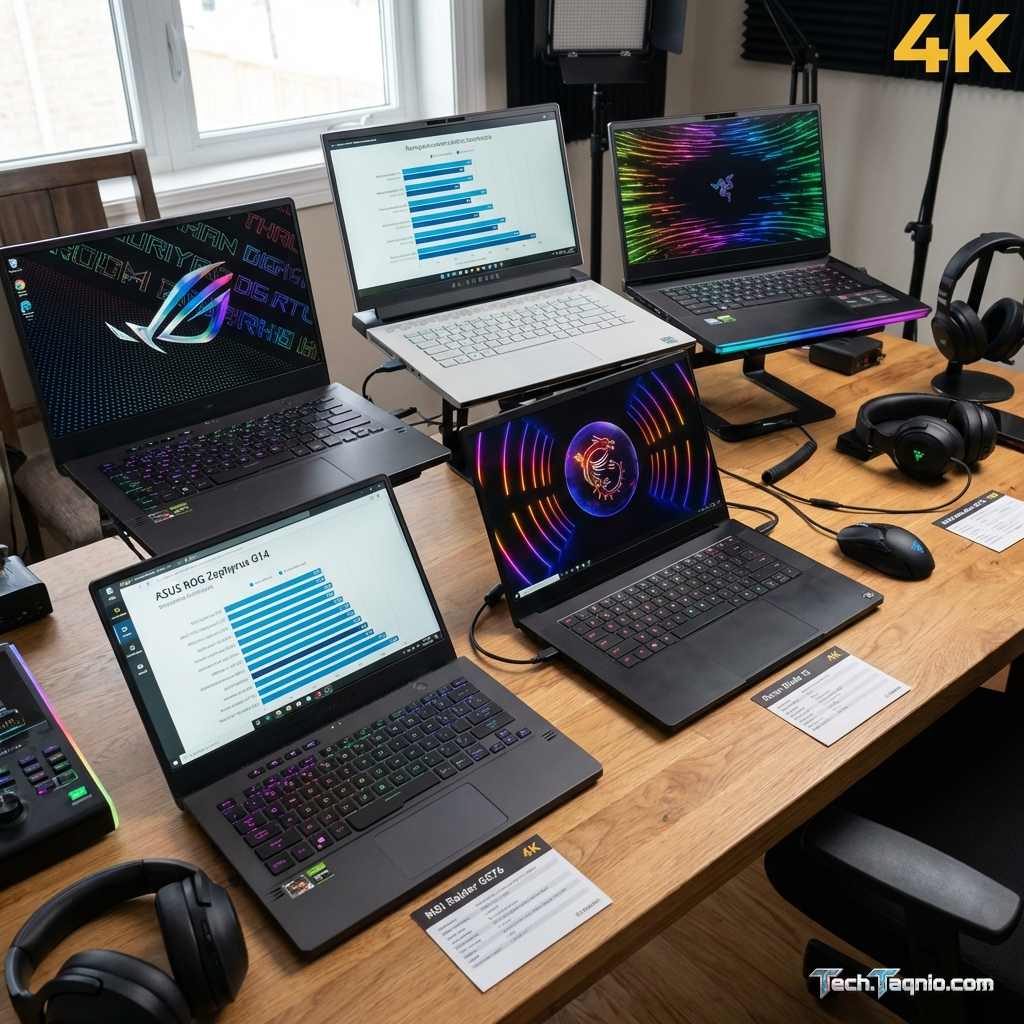
Selecting the right gaming laptop represents one of the most consequential technology purchases you’ll make. Unlike
desktop computers where components can be upgraded individually, gaming laptops require careful initial
specification choices that define your gaming experience for years. The overwhelming variety of models,
specifications, and marketing claims makes informed decision-making challenging without proper guidance.
The gaming laptop market in 2026 spans from entry-level machines under $800 to premium workstations exceeding $4,000.
Each price tier offers distinct capabilities, and understanding what you actually need prevents both overspending on
unused performance and underspending on inadequate hardware. Your gaming preferences, portability requirements, and
budget constraints all influence the optimal choice.
This comprehensive guide walks through every critical consideration when choosing a gaming laptop. We’ll examine
graphics cards, processors, displays, memory, storage, cooling systems, build quality, and value optimization
strategies. By the end, you’ll possess the knowledge to confidently select a gaming laptop matching your specific
requirements.
I. Understanding Your Gaming Needs First
Before examining specifications, honest assessment of your gaming habits and requirements prevents mismatched
purchases. Different gaming styles demand different hardware priorities.
What Games Will You Play?
Game requirements vary enormously. Competitive esports titles like Valorant, Counter-Strike 2, and League of Legends
run smoothly on modest hardware while demanding maximum frame rates for competitive advantage. AAA single-player
games prioritize visual fidelity over frame rates, requiring stronger graphics capability. Understanding your game
library guides specification priorities.
Competitive gamers should prioritize high-refresh displays and consistent frame rates over maximum graphical detail.
Story-driven gamers benefit from stronger GPUs and better display color accuracy. Simulation enthusiasts need
balanced systems handling complex calculations alongside graphics rendering.
Resolution and Frame Rate Targets
Your performance targets significantly influence required specifications. Gaming at 1080p 60 FPS demands far less
hardware than 1440p 144Hz gaming. Establishing realistic targets based on actual gaming preferences prevents
overspending on capability you won’t utilize.
Most gaming laptops feature 1080p displays, making this the natural target resolution. High-refresh 1080p gaming
(144Hz+) provides excellent experiences for competitive and casual gaming alike. Those specifically wanting 1440p
gaming should budget accordingly for the GPU power this resolution demands.
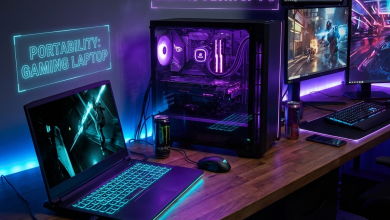
Portability vs. Performance Trade-offs
Gaming laptop design inherently balances portability against performance capability. Thinner, lighter machines
sacrifice thermal headroom limiting sustained performance. Larger, heavier designs accommodate better cooling
enabling higher sustained performance. Neither approach is inherently superior; the right choice depends on your
usage patterns.
Consider how often you’ll actually transport the laptop. Daily commuters genuinely benefit from lighter designs
despite performance compromises. Users primarily gaming at home gain nothing from portability while losing
performance. Be honest about actual usage to make appropriate trade-offs.
II. Graphics Cards: The Most Critical Component
The graphics processing unit (GPU) determines gaming performance more than any other component. Understanding GPU
specifications and realistic performance expectations guides proper selection.
NVIDIA GeForce RTX 40 Series Mobile GPUs
NVIDIA dominates the gaming laptop GPU market with their RTX 40 series mobile graphics. The lineup spans from the
entry-level RTX 4050 through the flagship RTX 4090 Mobile, covering every performance tier and budget range.
RTX 4050 (6GB GDDR6): Entry-level gaming GPU suitable for 1080p gaming at medium-to-high settings.
Delivers 60-80 FPS in demanding games and 100+ FPS in esports titles. DLSS support extends capability beyond raw
performance specifications. Ideal for budget-conscious gamers or those prioritizing portability.
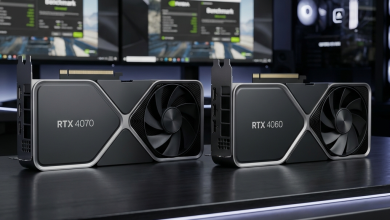
RTX 4060 (8GB GDDR6): The mainstream sweet spot offering comfortable 1080p high-settings gaming at
80-100+ FPS in most titles. Capable 1440p gaming with DLSS assistance. Represents excellent value for most gamers
without extreme performance demands.
RTX 4070 (8GB GDDR6X): Upper-mainstream GPU enabling consistent 1440p gaming at high settings.
Delivers 90-120 FPS in demanding games with additional headroom for ray tracing. Appropriate for gamers wanting
premium experiences without flagship pricing.
RTX 4080/4090 (12-16GB GDDR6X): Flagship mobile GPUs for uncompromising performance. 4K gaming
becomes viable, ray tracing runs smoothly, and 1440p high-refresh gaming presents no challenge. Premium pricing
reflects premium capability.
GPU Power Limits and TGP
Mobile GPU performance varies based on power allocation. The same GPU model performs differently across laptops
depending on Total Graphics Power (TGP) limits set by manufacturers. Higher TGP enables higher sustained performance
but requires more robust cooling solutions.
When comparing laptops, check TGP specifications rather than assuming identical GPU performance. An RTX 4070 at 140W
significantly outperforms the same GPU at 85W. Manufacturer specifications or detailed reviews reveal these critical
details.
AMD Radeon RX 7000M Series
AMD offers competitive alternatives with their Radeon RX 7000M series. The RX 7600M and RX 7700M provide strong
performance at competitive pricing. AMD GPUs typically offer better value per dollar but lack DLSS, instead offering
FSR (FidelityFX Super Resolution) as an upscaling alternative.
For buyers prioritizing raw value, AMD options deserve consideration. However, NVIDIA’s superior ray tracing
performance, DLSS quality, and broader game optimization support generally favor RTX GPUs for gaming-focused
purchases.
III. Processors: Ensuring No Bottlenecks
While GPUs determine maximum gaming performance, CPUs can limit or bottleneck that potential. Understanding processor
requirements ensures balanced system configuration.
Intel vs. AMD for Gaming
Both Intel and AMD offer excellent gaming processors in 2026. Intel’s 13th and 14th generation Core processors
provide strong single-threaded performance benefiting certain games. AMD’s Ryzen 7000 series offers competitive
gaming performance with superior multi-threaded capability and power efficiency.
For pure gaming, either platform performs comparably at similar price points. AMD typically offers better battery
life, making it preferable for portable gaming. Intel occasionally edges ahead in specific CPU-demanding games but
rarely by margins affecting practical experience.
Core Count Considerations
Modern games increasingly utilize multiple CPU cores, though diminishing returns set in beyond 6-8 cores for gaming
purposes. A 6-core processor handles gaming excellently while 8 cores provides additional headroom for streaming,
background tasks, and future-proofing.
Recommended gaming laptop processors include:
| Processor | Cores/Threads | Best For | Price Tier |
|---|---|---|---|
| AMD Ryzen 5 7535HS | 6/12 | Budget Gaming | $700-$1000 |
| AMD Ryzen 7 7735HS | 8/16 | Mid-Range Gaming | $900-$1300 |
| Intel Core i5-13500H | 12/16 | Budget-Mid Gaming | $800-$1200 |
| Intel Core i7-13700H | 14/20 | High-End Gaming | $1200-$2000 |
| AMD Ryzen 9 7945HX | 16/32 | Enthusiast/Streaming | $1800+ |
Avoiding CPU Bottlenecks
CPU bottlenecking occurs when the processor cannot supply data fast enough for the GPU to render frames efficiently.
This typically affects high-refresh gaming more than 60 FPS targets. Pairing flagship GPUs with entry-level
processors creates such scenarios.
Balance CPU and GPU selections appropriately. Mid-range GPUs pair well with mid-range processors. Flagship GPUs
deserve flagship or upper-mid processors to maximize performance potential.
IV. Display Selection: Where You See Your Games
The display directly impacts visual gaming experience. Understanding display specifications helps identify quality
panels beyond basic resolution and refresh rate numbers.
Resolution Options
1920×1080 (Full HD): The standard gaming laptop resolution offering optimal balance between visual
quality and performance. Easier to drive at high frame rates, making it ideal for competitive gaming. Most 15.6″
gaming laptops feature this resolution.
2560×1440 (QHD): Increasingly common in premium gaming laptops, offering noticeably sharper visuals.
Demands stronger GPU power but provides excellent visual quality. Best for single-player and immersive gaming
experiences.
3840×2160 (4K): Available in select high-end laptops primarily for content creation. Impractical for
most gaming due to extreme GPU demands but valuable for creative professionals who also game occasionally.
Refresh Rate Importance
Refresh rate determines how many frames per second the display can show. Higher refresh rates provide smoother motion
perception and competitive advantages in fast-paced games.
60Hz: Baseline refresh rate adequate for casual gaming and single-player experiences. Inappropriate
for competitive gaming where higher refresh rates provide meaningful advantages.
144Hz: The sweet spot for most gamers, providing noticeably smoother gameplay than 60Hz without
extreme hardware demands. Recommended minimum for any gaming laptop purchase.
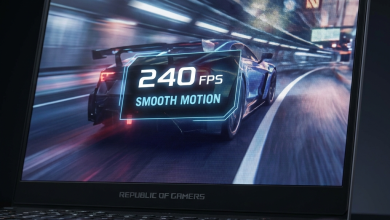
165Hz-240Hz: Incremental improvements over 144Hz, beneficial for competitive gamers who can maintain
frame rates matching these refresh rates. Diminishing perceptual returns above 165Hz for most users.
360Hz+: Extreme refresh rates for professional esports players. Requires specific hardware to
achieve matching frame rates and offers minimal benefit for typical users.
Panel Technology
IPS (In-Plane Switching): The standard for gaming laptops offering excellent color accuracy, wide
viewing angles, and good response times. Most gaming laptops use IPS panels, and quality varies significantly
between manufacturers.
OLED: Premium panel technology delivering perfect blacks, infinite contrast, and exceptional color
reproduction. HDR content shines on OLED displays. Concerns about burn-in are largely addressed in modern
implementations, though OLED gaming laptops command premium pricing.
Mini-LED: Combines LCD technology with dense local dimming zones for improved contrast approaching
OLED levels without burn-in concerns. Increasingly common in high-end gaming laptops.
Response Time and Input Lag
Response time measures how quickly pixels change color, affecting motion clarity. Gaming displays should target 5ms
or lower response times. Input lag measures delay between input and on-screen response, critical for competitive
gaming.
Quality gaming panels specify both metrics. Budget displays may omit these specifications, suggesting potential
compromises. Seek displays advertising low response times and gaming-optimized modes.
V. Memory and Storage Requirements
RAM and storage specification directly impacts gaming performance and daily usability. Proper specification ensures
smooth gaming without constant management of limited resources.
RAM Capacity
8GB: Minimum viable for gaming but increasingly limiting. Modern games consume 6-8GB RAM during
gameplay, leaving minimal headroom for system processes. Acceptable only as a starting point for immediate upgrade.
16GB: The standard recommendation for gaming laptops in 2026. Comfortable headroom for modern games
while supporting browser tabs, Discord, streaming software, and background applications during gaming sessions.
32GB: Future-proof specification beneficial for content creators, streamers, and users running
demanding multitasking scenarios. Increasingly standard in premium gaming laptops.
RAM Speed and Type
Modern gaming laptops use DDR5 memory offering higher speeds and bandwidth than DDR4. DDR5-4800 represents the
baseline, with faster DDR5-5200 and DDR5-5600 providing marginal performance improvements. The DDR4 vs DDR5
distinction matters more than specific speed grades within each generation.
Storage Considerations
NVMe SSD (Required): Modern gaming demands SSD storage for acceptable load times. NVMe drives
provide the fastest performance, and gaming laptops should exclusively feature NVMe primary storage.
Capacity Recommendations: 512GB represents the minimum viable capacity given modern game sizes. 1TB
provides comfortable headroom for a reasonable game library. 2TB suits users maintaining extensive installed game
collections.
Expansion Capability: Many gaming laptops include secondary M.2 slots for storage expansion. This
capability adds significant value, allowing capacity upgrades without replacing the original drive.
VI. Cooling and Thermal Management
Thermal design determines sustained gaming performance. Inadequate cooling causes thermal throttling, reducing
performance below theoretical maximums.
Cooling System Components
Quality gaming laptop cooling includes multiple fans, extensive heat pipe arrays, and optimized airflow paths. Vapor
chamber cooling in premium models provides superior heat dissipation for high-power components.
Thin gaming laptops inherently compromise cooling capacity. The laws of physics apply regardless of marketing claims.
Thicker chassis designs accommodate more effective cooling solutions.
Thermal Performance Indicators
Seek reviews specifically testing sustained gaming performance. Initial benchmark scores may differ from sustained
performance if thermal throttling occurs. Quality laptops maintain consistent performance throughout extended gaming
sessions.
CPU temperatures under gaming load ideally stay below 90°C, with GPU temperatures typically running cooler.
Occasional thermal spikes are expected, but sustained high temperatures indicate cooling inadequacy.
Fan Noise Considerations
Effective cooling often requires aggressive fan speeds producing noticeable noise. Gaming laptops typically range
from 40-50 dB under load, comparable to normal conversation levels. Determine your noise tolerance and seek reviews
mentioning acoustic characteristics.
Many laptops offer performance modes trading gaming performance for quieter operation. Users prioritizing acoustics
benefit from laptops with effective quiet modes maintaining playable frame rates.
VII. Build Quality and Durability
Gaming laptops endure physical stress from transport, intensive usage, and thermal cycling. Build quality affects
longevity and daily satisfaction.
Chassis Materials
Plastic Chassis: Common in budget gaming laptops, varying significantly in quality. Premium plastic
builds can prove durable, while cheap plastic flexes excessively and scratches easily.
Metal Chassis: Aluminum and magnesium alloy chassis provide superior rigidity, heat dissipation, and
premium feel. More common in mid-range and premium gaming laptops.
Keyboard Quality
Gaming keyboards see intensive use. Key travel (1.5mm+ preferred), tactile feedback, and anti-ghosting/N-key rollover
for simultaneous keypresses matter for gaming. Per-key RGB lighting offers customization while zone lighting
provides aesthetic appeal at lower cost.
Hinge and Display Durability
Hinges endure thousands of open/close cycles. Quality hinges maintain firm positioning without wobble throughout the
laptop’s life. Display flex during gaming indicates inadequate structural design.
VIII. Battery Life Reality Check
Gaming laptops prioritize performance over battery life. Understanding realistic expectations prevents
disappointment.
Typical Battery Performance
Gaming on battery power dramatically reduces both performance and battery duration. Discrete GPUs consume significant
power even at idle. Expect 4-8 hours for light productivity tasks and 1-2 hours maximum for actual gaming on
battery.
Battery Capacity
Larger batteries (80-99.9Wh) provide longer unplugged operation. FAA regulations limit batteries to 99.9Wh for air
travel. Premium gaming laptops maximize battery capacity within this limit.
Hybrid Graphics
Modern gaming laptops include integrated graphics alongside discrete GPUs. Switching to integrated graphics for light
tasks dramatically extends battery life. Ensure this switching (NVIDIA Optimus, AMD Smart Shift) functions properly
for portable use.
IX. Connectivity and Ports
Port selection affects peripheral connectivity and future expansion capability.
Essential Ports
USB-A: Legacy connectivity for existing peripherals, mice, keyboards, and accessories. Minimum three
USB-A ports recommended.
USB-C: Modern connectivity supporting displays, charging, and high-speed data. USB-C with
DisplayPort alternate mode enables external monitor connectivity. Thunderbolt 4 provides maximum flexibility.
HDMI: Direct external display connectivity. HDMI 2.1 supports 4K 120Hz+ for high-end external
displays.
Ethernet: Wired network connectivity for stable online gaming. 2.5GbE becoming standard in premium
models.
Wireless Connectivity
Wi-Fi 6E provides the current standard for wireless networking with improved speeds and reduced latency. Bluetooth
5.2+ supports modern wireless peripherals including gaming headsets.
X. Budget Optimization Strategies
Strategic purchasing maximizes gaming capability within budget constraints.
Where to Prioritize Spending
GPU First: Graphics capability cannot be upgraded. Prioritize the best GPU within budget, as this
determines gaming performance for the laptop’s entire lifespan.
Display Second: You’ll look at this screen for years. A quality display significantly improves daily
satisfaction even if other specifications are modest.
RAM and Storage: Often upgradeable after purchase at lower cost than manufacturer markups. Consider
buying lower configurations and upgrading yourself if comfortable with the process.
Timing Purchases
Gaming laptops regularly discount during sales events. Black Friday, back-to-school sales, and new model release
periods offer discounts of 15-25% on quality machines. If timing is flexible, waiting for sales optimizes value
significantly.
Refurbished and Open-Box Options
Manufacturer-refurbished laptops provide significant savings with warranty protection. Open-box returns offer
near-new products at discounted prices. These options stretch budgets without sacrificing quality.
XI. Making Your Final Decision
Synthesizing all considerations into a purchase decision requires honest self-assessment and clear priorities.
Decision Framework
1. Establish firm budget: Determine maximum spending including any necessary accessories.
2. Define performance requirements: What games, resolution, and frame rates do you actually need?
3. Identify must-have features: Portability, display quality, specific connectivity?
4. Research specific models: Read detailed reviews focusing on thermal performance and sustained
gaming capability.
5. Compare final candidates: Weigh trade-offs between shortlisted options against your priorities.
Red Flags to Avoid
Avoid laptops with vague specifications omitting GPU TGP, RAM speed, or display details. Aggressive marketing without
substantive specifications suggests potential compromises. Unknown brands without established review histories carry
risk.
XII. Conclusion
Choosing the right gaming laptop in 2026 requires understanding your specific needs, technical specifications, and
appropriate trade-offs. The GPU remains the most critical component determining gaming capability, followed by
display quality for daily satisfaction. Balanced systems pairing appropriate CPUs with capable GPUs avoid
bottlenecks while optimizing value.
Prioritize honest assessment of your gaming habits over aspirational specifications. A well-matched mid-range system
often provides better actual satisfaction than a mismatched premium purchase. Consider upgradeability for RAM and
storage to maximize long-term value.
Armed with the knowledge from this guide, you can confidently evaluate gaming laptops against your specific
requirements. Take time to research specific models through detailed reviews, and your purchase will deliver years
of satisfying gaming experiences.
For specific recommendations within your budget, explore our guides on best gaming laptops under
$1000 and understanding gaming
display specifications.