Expanding beyond single-monitor setups opens significant gaming and productivity possibilities, but the choice
between ultrawide monitors and dual-monitor configurations involves meaningful trade-offs. Both approaches provide
additional screen real estate and enhanced immersion, yet each configuration brings distinct advantages that serve
different usage patterns.
Ultrawide monitors offer seamless panoramic displays ideal for immersive gaming and streamlined workflows.
Dual-monitor setups provide flexibility through independent displays that can serve different purposes
simultaneously. Neither approach universally outperforms the other—the optimal choice depends on your specific
priorities.
This comprehensive comparison examines ultrawide and dual-monitor configurations for gaming and productivity. We’ll
analyze gaming experiences, workflow implications, practical considerations, and cost factors to help you identify
which setup serves your needs best.
I. Understanding the Options
Before detailed comparison, clarifying exactly what each configuration offers establishes the comparison framework.
Ultrawide Monitors Defined
Ultrawide monitors use 21:9 aspect ratio (occasionally 32:9 “super ultrawide”) compared to standard 16:9 displays.
Common resolutions include:
2560×1080 (UWFHD): Budget ultrawide resolution with relatively low pixel density at larger sizes.
3440×1440 (UWQHD): The ultrawide sweet spot, offering excellent pixel density at 34-35 inch sizes.
Most popular gaming ultrawide resolution.
5120×1440 (DQHD): Super ultrawide at 32:9 aspect ratio, effectively two 1440p monitors in one panel.
3840×1600 (UWQHD+): Premium ultrawide with slightly taller aspect and higher resolution than
standard UWQHD.
Dual Monitor Configuration
Dual-monitor setups use two independent displays, typically 27″ 16:9 monitors. Configuration flexibility includes:
Matched Pair: Two identical monitors for consistent experience across both displays.
Primary + Secondary: Gaming-focused primary (high refresh, gaming features) with productivity
secondary (4K, color accuracy).
Varied Orientations: One landscape, one portrait for different content types.
II. Gaming Experience Comparison
Gaming represents a primary consideration for many users choosing between configurations.
Immersion and FOV
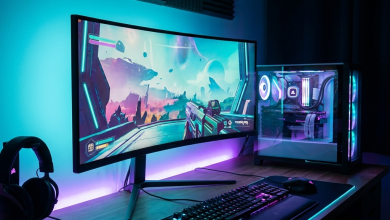
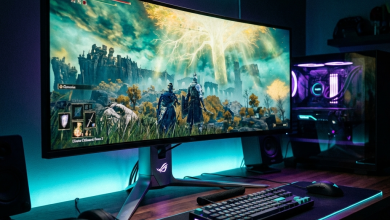
Ultrawide Advantage: Seamless peripheral vision without bezels creates genuinely immersive gaming.
The extended field of view (FOV) fills peripheral vision naturally, enhancing atmospheric and open-world games
significantly.
Dual Monitor Reality: Gaming across dual monitors places the bezel directly in center
vision—generally impractical for gaming. Most dual-monitor gamers focus games on one display only.
Verdict: Ultrawide provides meaningfully better immersive gaming experience.
Game Support
Ultrawide Consideration: Most modern games support 21:9 natively, though some require fixes or don’t
support ultrawide at all. Competitive games sometimes restrict FOV to prevent ultrawide advantage. Cutscenes and UI
elements may not scale properly.
Dual Monitor Reality: All games support single-monitor gaming on the primary display. Secondary
monitor remains available for other content during gaming (Discord, streams, guides).
Verdict: Dual monitors provide guaranteed compatibility; ultrawides require game-by-game
verification.
Competitive Gaming
Ultrawide Consideration: Extended FOV theoretically provides competitive advantage, leading some
games to limit ultrawide FOV. Input lag may slightly increase on larger panels. Many competitive players prefer
24-27″ 16:9 for focused, faster displays.
Dual Monitor Advantage: Primary gaming display can be ideal competitive specification (24″ 240Hz)
while secondary serves other purposes.
Verdict: Competitive gaming often favors standard 16:9 primary with optional secondary display.
Performance Requirements
3440×1440 Ultrawide: Approximately 33% more pixels than 2560×1440, requiring proportionally more GPU
power. High-refresh ultrawide gaming demands significant hardware.
Dual 1440p Monitors: Gaming occurs on single display—no additional performance requirement beyond
standard 1440p. Second monitor running productivity content adds minimal GPU load.
III. Productivity Comparison
Multi-display productivity benefits differ significantly between configurations.
Workflow Flexibility
Dual Monitor Advantage: Independent displays allow completely different content on each screen. Code
on one, terminal on another. Document on one, research on another. Portrait rotation for documents on one while
keeping landscape for general use.
Ultrawide Alternative: Window tiling divides ultrawide space into zones. Feels unified rather than
separate, which some prefer and others find less organized.
Verdict: Dual monitors provide superior task separation; ultrawides offer unified workspace
preference.
Content Consumption
Ultrawide Consideration: Video content letterboxes on 21:9 (most content is 16:9). 32:9 super
ultrawides show significant letterboxing. Cinematic 21:9 content fills beautifully.
Dual Monitor Advantage: Full-screen video on primary while secondary remains productive. No aspect
ratio compromises.
Professional Applications
Video Editing: Ultrawides excel for timeline-heavy work—extended timelines reduce scrolling. Dual
monitors separate preview from timeline/controls.
Programming: Depends on preference. Some prefer ultrawide’s extended code width; others prefer
code/terminal separation on dual displays.
Financial/Data: Both configurations serve spreadsheet and data work well. Personal preference
determines choice.
IV. Practical Considerations
Beyond core functionality, practical factors influence daily satisfaction.
Desk Space Requirements
Ultrawide: 34″ ultrawide requires approximately 32″ desk width. Depth requirements similar to
standard monitors. Single stand simplifies placement.
Dual Monitors: Two 27″ monitors require approximately 50″ desk width. May require monitor arms for
optimal positioning and space efficiency. More complex cable management.
Verdict: Ultrawides require less desk space for equivalent screen area.
Cost Analysis
| Configuration | Budget | Mid-Range | Premium |
|---|---|---|---|
| 34″ Ultrawide 1440p | $350-450 | $500-700 | $800-1200 |
| Dual 27″ 1440p | $400-500 | $600-800 | $900-1400 |
| 49″ Super Ultrawide | $700-900 | $1000-1300 | $1500-2500 |
Additional Dual Monitor Costs: Monitor arms ($50-150), additional cables, docking stations
potentially required.
Cable Management
Ultrawide: Single display means single DisplayPort/HDMI and power cable. Clean, simple setup.
Dual Monitors: Two of everything. More complex cable routing, especially if displays are at
different heights or angles.
Upgrade Path
Ultrawide: Full replacement required for upgrades. Can’t incrementally improve half the display.
Dual Monitors: Can upgrade primary gaming display while keeping productivity secondary. Staggered
upgrades reduce single-purchase cost.
V. Gaming-Specific Recommendations
Different gaming preferences align with different configurations.
Single-Player Immersive Gaming
Recommendation: Ultrawide
The seamless immersion of ultrawide gaming transforms open-world, racing, and atmospheric games. Extended peripheral
vision creates genuinely different gaming experience. Worth minor compatibility hassles for the visual upgrade.
Competitive/Esports Gaming
Recommendation: Dual Monitors (or single focused display)
Competitive gaming benefits from focused primary displays—24-27″ high-refresh 16:9 monitors. Secondary display for
Discord, streams, and notes without distracting from primary gaming. Ultrawide’s benefits don’t align with
competitive priorities.
Streaming Setup
Recommendation: Dual Monitors
Streaming requires simultaneous management of game, chat, OBS, and alerts. Dual monitors naturally separate streaming
management from gaming. Ultrawide requires more complex window management to achieve similar workflow.
Mixed Gaming Styles
Recommendation: Consider carefully
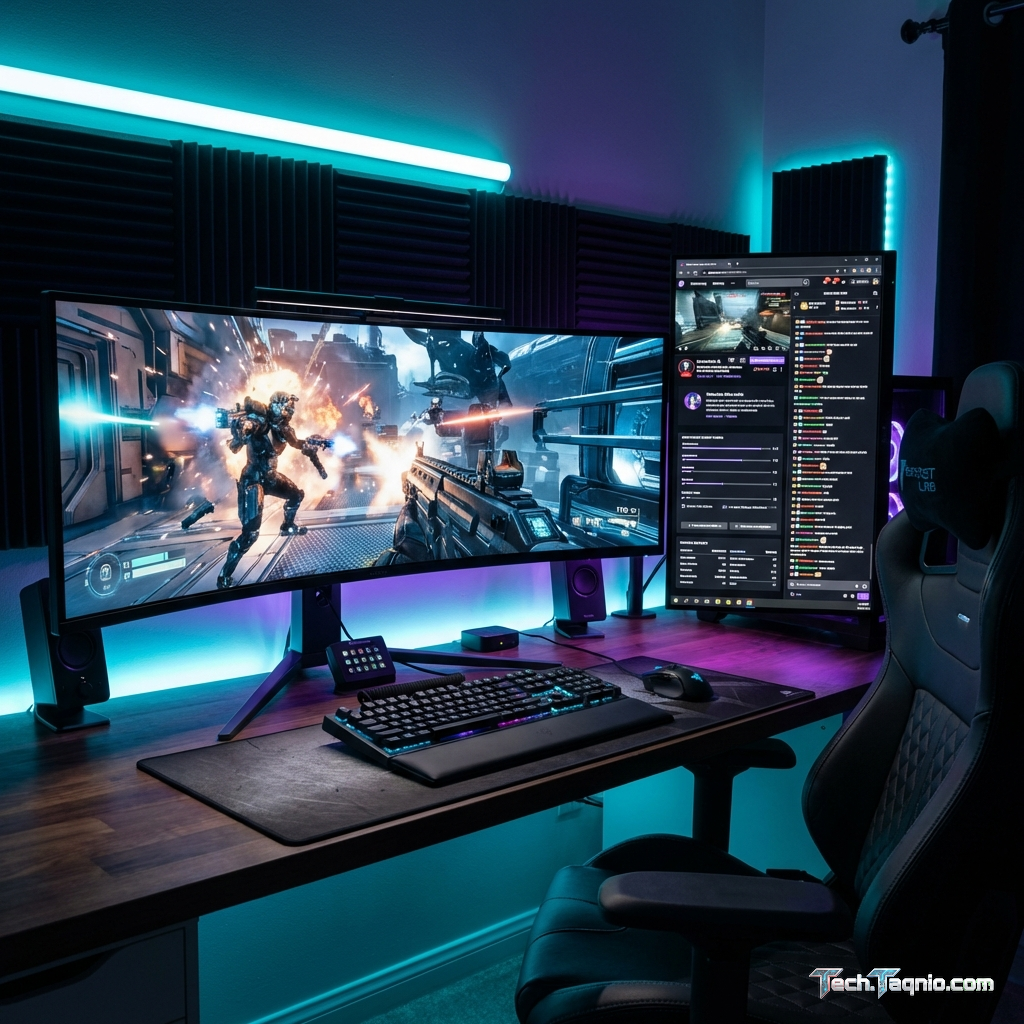
Mixed usage faces trade-offs either direction. Ultrawide with secondary vertical monitor combines benefits.
High-quality 27″ primary plus utility secondary optimizes for competitive while maintaining productivity. No
universally optimal solution—prioritize dominant usage pattern.
VI. Ultrawide Monitor Recommendations
For those choosing ultrawide, quality options across price tiers:
Budget: LG 34WP65C-B ($350-400)
VA panel with 160Hz refresh and FreeSync. Entry point for ultrawide gaming with acceptable specifications. Good for
those testing ultrawide before larger investment.
Mid-Range: LG 34GN850-B ($500-600)
Nano IPS with 160Hz and G-Sync Compatible. Excellent color and speed make this the mainstream recommendation. 1ms
response time handles competitive gaming adequately.
Premium: Alienware AW3423DWF ($1000-1100)
QD-OLED technology provides stunning contrast, colors, and response times. The current ultrawide gaming pinnacle for
those with budget flexibility.
VII. Dual Monitor Setup Recommendations
Optimal dual-monitor configurations by priority:
Gaming Focus: LG 27GP850-B + Budget 27″ IPS
Primary: Nano IPS 180Hz gaming monitor ($350)
Secondary: Basic 75Hz IPS for productivity ($150-200)
Total: ~$500-550
Gaming-optimized primary with functional secondary. Cost-effective approach prioritizing gaming performance.
Productivity Focus: Dual LG 27UL850-W
Two 4K IPS monitors with USB-C ($400-500 each)
Total: ~$800-1000
Color-accurate 4K productivity with 60Hz adequate for casual gaming. Professional workflow priority.
Mixed Optimal: Dell S2722DGM + LG 27UP850-W
Primary: 165Hz gaming VA for immersive gaming ($250-300)
Secondary: 4K USB-C for productivity ($350-400)
Total: ~$600-700
Balanced approach serving both gaming and productivity adequately.
VIII. Making Your Decision
Summary framework for configuration choice:
Choose Ultrawide If:
• Single-player immersion is primary gaming priority
• Desk space is limited
• You prefer seamless workspace over task separation
• You’re willing to accept occasional game compatibility issues
• Racing and flight simulation are significant gaming categories
Choose Dual Monitors If:
• Competitive gaming is significant
• Streaming/content creation requires management displays
• Video content consumption is frequent
• Upgrade flexibility matters for budget management
• Task separation enhances your workflow productivity
IX. Conclusion
Both ultrawide and dual-monitor configurations provide meaningful upgrades over single-monitor setups. The optimal
choice depends on gaming priorities, productivity needs, and personal workflow preferences rather than universal
superiority of either approach.
Ultrawide monitors excel for immersive single-player gaming and unified workspaces. Dual monitors provide
flexibility, task separation, and competitive gaming optimization. Neither approach is wrong—match configuration to
your dominant usage patterns.
Consider testing ultrawide at a store before committing if possible. The immersive experience either resonates
strongly or feels excessive depending on individual preference. Dual monitors provide safer, more flexible value for
uncertain users.
For specific monitor recommendations, explore our best gaming monitors
2026 guide and resolution comparison.