While keyboard and mouse dominate competitive PC gaming, controllers remain essential for many gaming genres—racing
games, fighting games, action-adventure titles, and platformers often play better with analog stick precision and
trigger feedback that controllers provide. PC gaming’s flexibility allows using virtually any controller, from
first-party console controllers to specialized PC-focused options, providing choices that console gamers don’t
enjoy.
The PC controller landscape in 2026 offers unprecedented variety. Xbox controllers enjoy native Windows integration
as Microsoft’s own platform, PlayStation’s DualSense brings innovative haptic technology to PC gaming, and
third-party manufacturers create specialized options addressing specific needs. Understanding the strengths and
compatibility characteristics of each helps identify optimal choices for your gaming preferences.
This comprehensive guide examines gaming controllers for PC use, comparing first-party console options against
dedicated PC controllers. We’ll analyze connectivity options, compatibility considerations, feature sets, and gaming
performance to help you select the ideal controller for your PC gaming experience.
I. Understanding PC Controller Compatibility
PC gaming’s open platform nature affects how different controllers integrate with games and operating systems.
Understanding compatibility frameworks helps evaluate controller options appropriately.
XInput vs DirectInput
Windows supports two controller APIs with significantly different adoption rates. Understanding these APIs explains
why some controllers require more configuration than others.
XInput: Microsoft’s modern controller API, designed around Xbox controller layouts. Most PC games
released since 2010 support XInput natively, providing automatic button mapping and trigger support. XInput
controllers work with minimal configuration in the vast majority of games.
DirectInput: The older controller API supporting diverse input devices. While more flexible
technically, DirectInput requires more manual configuration in many games. Some older or indie games support only
DirectInput, while major releases focus on XInput.
Xbox controllers use XInput exclusively, ensuring broadest native compatibility. PlayStation and third-party
controllers may use DirectInput, XInput emulation, or both—affecting out-of-box compatibility with different games.
Steam Input
Steam’s controller configuration layer unifies controller support regardless of underlying API. Steam Input provides
consistent support for Xbox, PlayStation, Nintendo, and numerous third-party controllers, remapping inputs as needed
for game compatibility.
For games launched through Steam, Steam Input typically handles compatibility transparently. Non-Steam games may
require additional configuration for non-Xbox controllers to function properly.
Bluetooth vs USB Connection
Most modern controllers support both wired USB and wireless Bluetooth connectivity to PC. Each approach offers
distinct advantages:
Wired USB: Zero latency, no battery concerns, guaranteed compatibility. The cable creates physical
tether but eliminates wireless complexity. USB connection typically works immediately upon connecting.
Bluetooth: Wireless freedom requires Bluetooth adapter (built into many PCs or available as USB
dongle). Adds slight latency (typically 10-20ms), requires charging, and may experience occasional connectivity
issues. Most users find Bluetooth latency acceptable for non-competitive gaming.
Proprietary Wireless: Some controllers (Xbox Wireless, PlayStation with adapter) use proprietary
protocols offering lower latency than Bluetooth while maintaining wireless convenience. These require
platform-specific adapters.
II. Xbox Controllers for PC Gaming
Xbox controllers represent the de facto PC gaming controller standard, enjoying native Windows support and universal
game compatibility. Multiple Xbox controller variants address different preferences and budgets.
Xbox Wireless Controller (Standard) – $59
The standard Xbox Wireless Controller provides the baseline for PC gaming controller expectations. Its layout—now
industry standard—features dual analog sticks, D-pad, four face buttons, bumpers, triggers, and system buttons in
familiar configuration.
Windows 10/11 recognize Xbox controllers instantly via USB or Bluetooth, with Xbox Accessories app enabling button
remapping, trigger adjustments, and control customization. Games with controller support typically use Xbox button
prompts by default, eliminating translation confusion between displayed and actual buttons.
The controller supports both Bluetooth (included in current models) and Xbox Wireless protocol (requires Xbox
Wireless Adapter for PCs at ~$25). Xbox Wireless offers lower latency than Bluetooth, benefiting competitive gaming
where input responsiveness matters.
Build quality suits typical gaming use, though extended competitive use may reveal wear earlier than premium
alternatives. The textured grip and ergonomic design maintain comfort during extended sessions.
Pros: Native Windows integration, universal game compatibility, accessible $59 price, proven
ergonomic design, USB-C charging, share button for captures.
Cons: Bluetooth connection adds slight latency, Xbox Wireless adapter adds cost for optimal
wireless, standard build quality rather than premium construction.
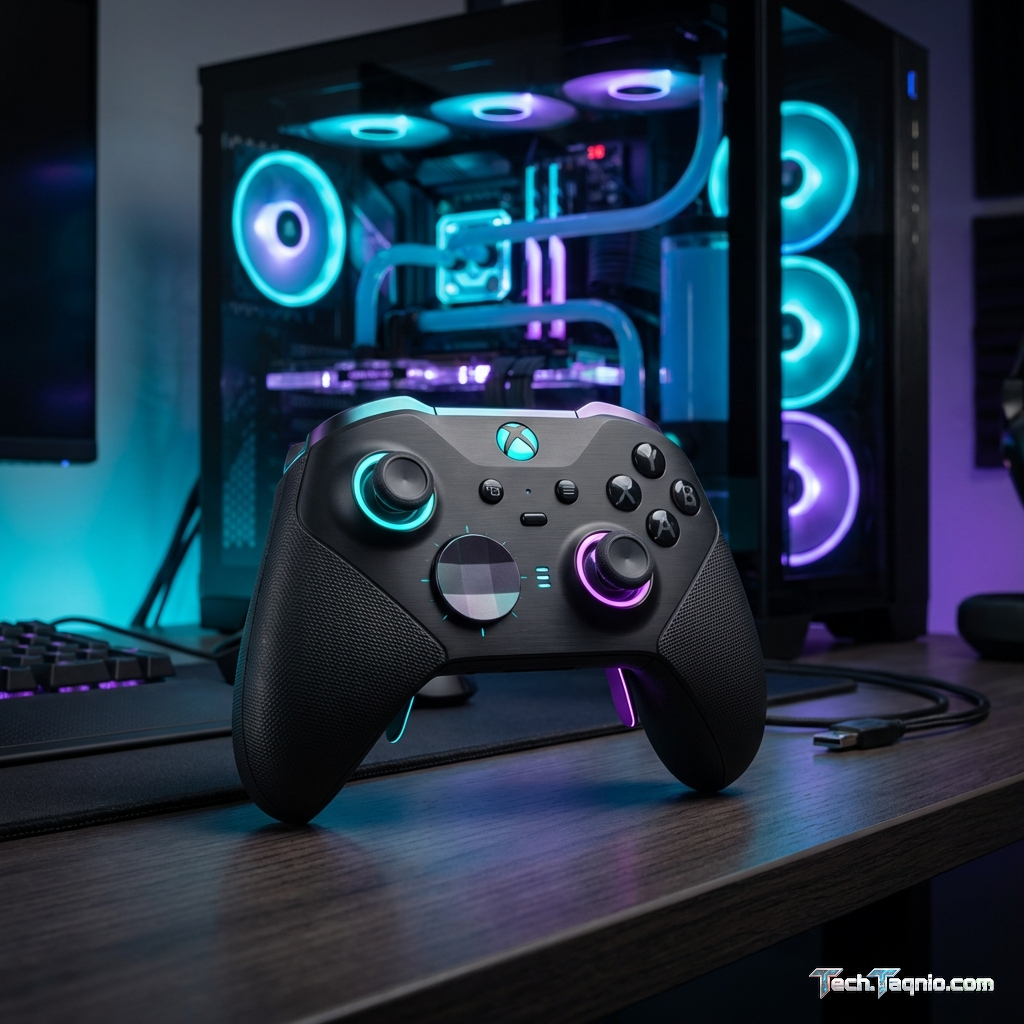
Xbox Elite Wireless Controller Series 2 – $179
The Elite Series 2 addresses competitive and enthusiast requirements with premium construction and customization
options unavailable in standard controllers. The substantial price premium delivers meaningful improvements for
dedicated gamers.
Swappable components include different D-pad styles, thumbstick heights/shapes, and back paddles enabling custom
layouts. The adjustability accommodates different hand sizes, grip styles, and gaming preferences impossible with
fixed-configuration controllers.
Adjustable-tension thumbsticks enable tuning resistance to preference—tighter for precision aiming, looser for faster
response. Hair trigger locks shorten trigger travel for faster shooting response, valuable in competitive scenarios.
The rubberized grips, metal construction elements, and premium materials provide durability and feel exceeding
standard controllers significantly. The included charging dock maintains readiness without cable management.
Pros: Extensive customization options, premium build quality, adjustable tension thumbsticks, hair
trigger locks, included charging dock, back paddles standard.
Cons: Premium $179 price significant for many budgets, complexity may overwhelm casual users,
durability concerns reported for bumpers, learning curve for optimal configuration.
Xbox Controller Compatibility Summary
| Feature | Xbox Standard | Xbox Elite Series 2 |
|---|---|---|
| Price | $59 | $179 |
| Windows Compatibility | Native | Native |
| Swappable Parts | No | Yes (Full Kit) |
| Back Paddles | No | 4 Included |
| Battery | AA or Battery Pack | Built-in Rechargeable |
| Battery Life (Wireless) | ~40 hours | ~40 hours |
III. PlayStation Controllers for PC Gaming
PlayStation controllers work on PC through various methods, bringing Sony’s innovative features to the broader gaming
platform. The DualSense particularly offers unique capabilities unavailable elsewhere.
DualSense (PS5 Controller) – $74
The PlayStation 5’s DualSense controller features innovative haptic feedback and adaptive triggers that go far beyond
traditional rumble motors. These features, when supported by PC games, provide immersive feedback impossible with
other controllers.
Haptic feedback replaces rumble with precise vibrations simulating textures, impacts, and environmental effects.
Raindrops feel like individual droplets, footsteps change based on terrain, and collisions convey impact intensity.
Games implementing these features create genuinely enhanced experiences.
Adaptive triggers provide variable resistance throughout trigger pull. Drawing a bow feels increasingly difficult,
accelerating a vehicle creates pedal resistance, and different weapons provide distinct trigger feedback. These
mechanical effects add immersion beyond visual and audio cues.
PC support for DualSense features varies significantly. Steam provides basic support, but full haptic and adaptive
trigger implementation requires game-specific development. Relatively few PC games fully support DualSense features,
though the list grows steadily.
Connectivity works via USB-C (recommended for full features) or Bluetooth. Some features, particularly adaptive
triggers and enhanced haptics, may require USB connection depending on game implementation.
Pros: Innovative haptic feedback and adaptive triggers, USB-C connectivity, built-in rechargeable
battery, touchpad and motion sensors, premium build quality.
Cons: Limited PC game support for advanced features, requires Steam Input for best compatibility,
button prompts often show Xbox layout, shorter battery life than Xbox controllers.
DualSense Edge – $199
Sony’s premium DualSense Edge brings customization features rivaling Xbox Elite Series 2 while retaining DualSense’s
innovative haptic and adaptive trigger technology. The price premium delivers substantial improvements for serious
gamers.
Swappable stick modules, back buttons, and adjustable trigger travel enable extensive customization. The ability to
replace stick modules addresses stick drift concerns—swap worn modules instead of replacing entire controller.
Multiple profiles store different configurations for different games, switching instantly via controller buttons. The
included carrying case organizes swappable components for transport.
The Edge retains full haptic and adaptive trigger functionality, meaning PC games supporting DualSense features work
identically. The premium construction and materials provide enhanced durability and feel.
Pros: Premium build quality, replaceable stick modules, back buttons included, retains all DualSense
features, adjustable trigger travel, multiple profiles.
Cons: Premium $199 price, PC feature support still limited, shorter battery life than standard
DualSense, Xbox controllers still have better native compatibility.
PlayStation Controller PC Configuration
Getting the most from PlayStation controllers on PC requires understanding configuration options:
Steam Input: Enable PlayStation Configuration Support in Steam’s controller settings for automatic
button mapping and in-game prompts.
DS4Windows: Third-party application for advanced configuration, XInput emulation, and
touchpad-as-mouse functionality. Required for optimal non-Steam game compatibility.
Native Support: An increasing number of games natively support DualSense, including PC ports of
PlayStation exclusives and major multiplatform titles.
IV. Third-Party PC Controllers
Dedicated PC controller manufacturers address specific needs and price points that first-party options may not serve
optimally.
8BitDo Ultimate 2.4G Controller – $49
The 8BitDo Ultimate provides excellent value at $49, featuring Hall effect analog sticks resistant to drift, back
buttons, and 2.4GHz wireless with included dongle. The Xbox-compatible layout ensures broad game support.
Hall effect sticks use magnetic sensors rather than potentiometers, virtually eliminating stick drift that eventually
affects traditional controllers. This technology preserves accuracy long-term, potentially outlasting multiple
traditional controllers.
The included 2.4GHz dongle provides lower latency than Bluetooth, approaching wired responsiveness. USB-C charging
and substantial battery life maintain convenience.
Build quality suits the price point—functional rather than premium, but adequate for typical gaming use. The included
carrying case adds value for portable use.
Pros: Excellent value at $49, Hall effect sticks prevent drift, back buttons included, 2.4GHz dongle
included, Xbox-compatible layout.
Cons: Build quality below first-party controllers, limited advanced customization, plastic
construction feels budget, no haptic or adaptive trigger features.
SCUF Instinct Pro – $199
SCUF specializes in competitive gaming controllers, offering extensive customization for esports and serious
competitive gaming. The Instinct Pro targets Xbox layout with maximum customization.
Four rear paddles provide additional inputs without removing thumbs from sticks—valuable for competitive gaming where
constant thumb stick contact matters. Adjustable hair triggers minimize travel for faster response.
Interchangeable components allow customizing thumbsticks, D-pad, and faceplate for aesthetic and functional
preferences. The extensive customization options justify premium pricing for users who’ll utilize them.
Pros: Extensive competitive-focused customization, four configurable back paddles, adjustable hair
triggers, premium build quality, professional gaming heritage.
Cons: Premium $199 price, complexity may overwhelm casual users, standard battery configuration,
limited advanced features compared to Elite/Edge.
Victrix Pro BFG Wireless – $179
The Victrix Pro BFG offers unique modularity, allowing users to swap between Xbox and PlayStation stick layouts via
interchangeable modules. This flexibility suits gamers who switch between platforms or prefer different layouts for
different games.
The modular stick/D-pad placement enables asymmetric (Xbox-style) or symmetric (PlayStation-style) layouts on the
same controller. Swappable gates change stick movement feel between circular and octagonal.
Wired and 2.4GHz wireless connectivity ensures low-latency performance across connection methods. The
tournament-viable design meets esports equipment requirements.
Pros: Unique modular layout system, swappable stick gates, tournament-caliber build, wired and
wireless options, professional focus.
Cons: Premium $179 price, modular complexity adds potential failure points, learning curve for
optimal configuration, limited availability in some regions.
V. Controller Comparison Table
| Controller | Price | PC Compatibility | Best For |
|---|---|---|---|
| Xbox Wireless Controller | $59 | Excellent (Native) | General Gaming |
| Xbox Elite Series 2 | $179 | Excellent (Native) | Competitive Gaming |
| DualSense (PS5) | $74 | Good (Steam/DS4W) | Immersive Single-Player |
| DualSense Edge | $199 | Good (Steam/DS4W) | Premium PS Preference |
| 8BitDo Ultimate | $49 | Very Good | Budget/Value |
| SCUF Instinct Pro | $199 | Excellent | Esports/Competitive |
VI. Choosing the Right Controller
Match controller selection to your specific gaming priorities and budget constraints.
For Maximum Compatibility
The standard Xbox Wireless Controller provides unmatched PC compatibility at accessible pricing. Native Windows
support, universal game recognition, and familiar button prompts eliminate configuration friction. For most PC
gamers, this represents the safe, reliable choice.
For Competitive Gaming
Premium options like Xbox Elite Series 2 or SCUF Instinct Pro provide competitive advantages through back paddles,
hair triggers, and customization options. The investments pay off for serious competitive players who’ll utilize
advanced features.
For Immersive Single-Player
The DualSense’s haptic feedback and adaptive triggers create genuinely enhanced experiences in supported games. For
players prioritizing immersion in story-driven titles, the DualSense provides capabilities no other controller
matches.
For Budget Value
The 8BitDo Ultimate at $49 delivers excellent value with Hall effect sticks and back buttons—features requiring $150+
from first-party controllers. Budget-conscious gamers find exceptional capability at accessible pricing.
VII. Conclusion
PC gaming’s controller flexibility enables matching hardware to individual preferences and requirements. The standard
Xbox Wireless Controller remains the default recommendation for most users, providing native compatibility, proven
design, and accessible pricing at $59. Its integration with Windows eliminates configuration complexity while
ensuring games work properly immediately.
Premium users seeking competitive advantages should consider the Xbox Elite Series 2 for native compatibility with
extensive customization, or the DualSense Edge for innovative haptic features with customization options. The
investment delivers tangible benefits for users who’ll utilize advanced features.
Budget-conscious gamers find excellent value in the 8BitDo Ultimate, which provides Hall effect sticks and back
buttons at $49—features costing significantly more from first-party controllers.
PlayStation users preferring familiar layouts and unique haptic/adaptive trigger features should embrace the
DualSense, accepting additional configuration requirements for Steam and non-Steam games. The immersive capabilities
in supported titles justify compatibility trade-offs for single-player focused gamers.
For complete gaming peripheral guidance, explore our articles on best gaming
mice for FPS and best gaming keyboards
under $100.