The surface beneath your gaming mouse significantly impacts tracking precision, glide speed, and overall control
feel, making mousepad selection an often-overlooked component of competitive gaming setups. While gaming mice
receive extensive attention in performance discussions, the mousepad provides the foundation upon which that
performance operates. A mismatched mousepad can undermine an excellent mouse, while a well-chosen surface enhances
any mouse’s capabilities.
The primary distinction in gaming mousepads divides between cloth and hard surface materials, each offering distinct
advantages for different playstyles and preferences. Cloth pads provide varied textures from glide-focused speed
surfaces to friction-heavy control surfaces. Hard pads deliver consistent glide with different materials offering
unique characteristics. Understanding these differences helps match mousepad selection to individual gaming
requirements.
This comprehensive guide examines cloth versus hard surface gaming mousepads across every relevant dimension: speed
characteristics, control precision, durability, sensor compatibility, and surface consistency. We’ll analyze leading
options in each category and help you identify the optimal mousepad for your specific gaming style and preferences.
I. Understanding Mousepad Surface Technology
Before comparing cloth and hard surfaces directly, understanding how each surface type works establishes context for
evaluating their relative strengths and characteristics.
How Cloth Mousepads Work
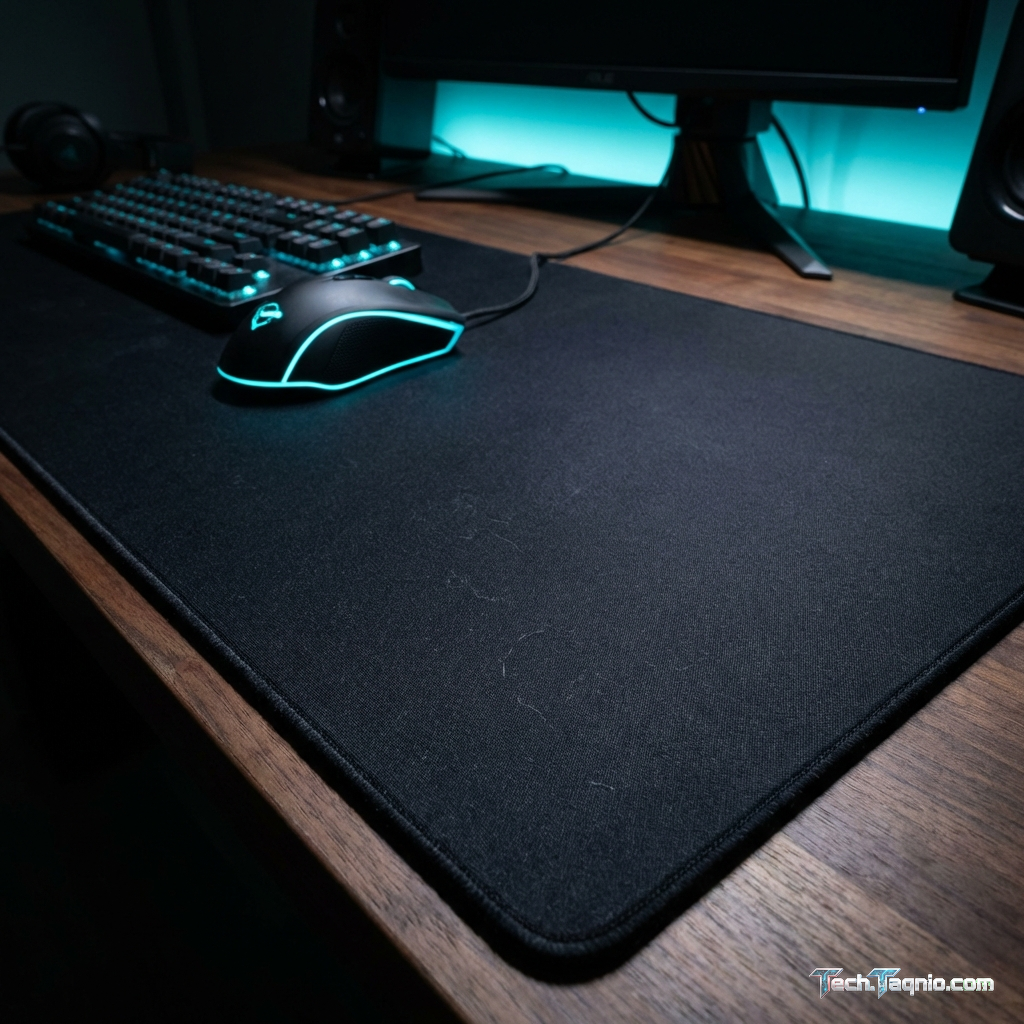
Cloth mousepads consist of woven fabric—typically polyester or microfiber—bonded to a rubber or foam base. The fabric
weave creates texture that interacts with mouse feet, producing friction that varies based on weave tightness,
thread thickness, and surface treatment.
The weave characteristics determine whether a cloth pad feels “fast” (loose weave, less friction) or “controlled”
(tight weave, more friction). Speed cloth pads use open weave patterns that minimize contact between mouse feet and
fabric threads. Control pads use tight weaves that increase contact surface area, creating more resistance during
movement.
Cloth surfaces conform slightly to pressure, creating a “breaking” effect where initial movement requires overcoming
static friction before transitioning to dynamic friction during motion. This characteristic can enhance control
during precise micro-adjustments but may impede rapid directional changes compared to harder surfaces.
How Hard Surface Mousepads Work
Hard mousepads use rigid materials—commonly plastic, metal, or glass—that provide consistent, unyielding surfaces.
The mouse feet make contact with uniform material rather than variable fabric weaves, creating predictable friction
characteristics regardless of movement direction or pressure variations.
Surface texturing on hard pads determines glide characteristics. Smooth surfaces minimize friction for maximum speed,
while micro-textured surfaces add controlled resistance. Some hard pads use specialized coatings that modify
friction without altering physical texture.
The rigid construction eliminates the “breaking” effect of cloth pads—static and dynamic friction remain similar,
providing consistent resistance whether starting movement or maintaining motion. This consistency can enhance
tracking for fluid mouse movements but may reduce stopping precision compared to cloth alternatives.
Hybrid Surface Technology
Hybrid mousepads attempt combining cloth comfort with hard surface consistency using rigid plastic bases with
cloth-like surface coatings. These products offer middle-ground characteristics, though they typically favor one
extreme or the other rather than truly splitting differences.
Cordura fabric—a nylon material common in military gear—appears in some mousepads as a durable alternative to
traditional polyester cloth. Cordura pads offer cloth-like feel with improved durability approaching hard surface
longevity.
II. Cloth Mousepads: Detailed Analysis
Cloth surfaces dominate the gaming mousepad market, with options ranging from ultra-fast speed surfaces to
high-friction control pads. Understanding the spectrum helps identify appropriate cloth options for specific needs.
Speed Cloth Pads
Speed cloth pads prioritize low friction for fast, effortless mouse movement. The loose weave patterns minimize
surface contact, reducing resistance during both initial movement and sustained gliding. These pads suit gamers who
prefer minimal effort for large mouse movements.
Artisan Raiden: The Artisan Raiden represents premium speed cloth performance at $49-79 (size
dependent). The unique woven surface provides exceptional glide while maintaining enough texture for reliable sensor
tracking. The soft foam base conforms comfortably to desk surfaces and arm contact points.
Speed cloth advantages include comfortable arm feel during extended sessions, relatively quiet operation, and machine
washability for cleaning. Speed cloth disadvantages include faster wear compared to control surfaces, inconsistent
feel as humidity varies, and reduced stopping power for micro-adjustments.
Best suited for: Low-sensitivity players who make large arm movements, gamers who prioritize glide
speed over stopping precision, users who find hard surfaces uncomfortable.
Control Cloth Pads
Control cloth pads prioritize stopping power through increased friction. Tight weave patterns maximize contact
surface area, creating resistance that slows mouse movement and enables precise micro-adjustments. These pads suit
gamers who rely on fine control for aim precision.
Artisan Zero: The Artisan Zero at $49-79 provides the control cloth benchmark, with tight weave
delivering exceptional stopping power without feeling muddy or slow during regular movement. The balance between
glide and control has earned widespread competitive player adoption.
Zowie G-SR-SE: The Zowie G-SR-SE at $39 offers excellent control characteristics at accessible
pricing. The consistent surface provides reliable friction across the entire pad, with Zowie’s quality control
ensuring predictable performance between units.
Control cloth advantages include precise micro-adjustment capability, consistent arm feel across pad surface, and
comfortable extended-use experience. Control cloth disadvantages include potential for feeling “muddy” in humid
conditions, faster wear than speed surfaces, and potentially limiting for very large mouse movements.
Best suited for: High-sensitivity players making small, precise movements, gamers prioritizing
stopping accuracy over movement speed, tactical shooter players requiring consistent micro-adjustments.
Balanced Cloth Pads
Balanced cloth pads attempt to split differences between speed and control, providing moderate friction suitable for
varied playstyles. These pads suit gamers who haven’t yet identified extreme preferences or who play diverse game
types requiring different characteristics.
SteelSeries QcK: The SteelSeries QcK at $14.99 has served as the industry standard balanced cloth
pad for decades. The predictable, middle-ground surface provides starting point for players exploring preferences.
Excellent value enables experimentation without significant investment.
Logitech G640: The Logitech G640 at $29.99 optimizes specifically for Logitech mice sensors, though
it works well with any gaming mouse. The moderate texture provides balanced characteristics with slight speed bias
compared to pure control surfaces.
Best suited for: New players exploring preferences, gamers playing varied game genres,
budget-conscious buyers seeking versatile performance.
III. Hard Surface Mousepads: Detailed Analysis
Hard surface mousepads provide consistent, durable alternatives to cloth with distinct performance characteristics.
Material selection significantly impacts hard pad behavior and suitability for different applications.
Plastic Hard Pads
Plastic hard pads offer the most accessible hard surface option, with various textures providing different friction
levels. The consistent material provides predictable glide regardless of pressure or humidity variations affecting
cloth alternatives.
Razer Sphex V3: The Razer Sphex V3 at $14.99 provides ultra-thin plastic surface that adheres to
desk surfaces. At 0.4mm thickness, it adds minimal height while providing consistent hard surface tracking. The
textured surface maintains adequate friction for control despite hard material.
SteelSeries I-2HD: Premium plastic construction at $19.99 provides smooth glide with micro-textured
surface for sensor reliability. The durability exceeds cloth alternatives significantly, maintaining consistent
performance across years of use.
Plastic pad advantages include excellent durability, humidity-independent performance, easy cleaning with damp cloth,
and thin profiles minimizing desk height impact. Plastic pad disadvantages include potentially uncomfortable arm
feel, noise during aggressive movements, and incompatibility with some sensor types.
Metal Hard Pads
Aluminum and steel mousepads provide premium hard surface options with distinctive characteristics. Metal
construction offers exceptional durability with unique glide feel unavailable from other materials.
Corsair MM600: The Corsair MM600 at $34.99 features dual-sided aluminum construction—smooth side for
speed, textured side for control. The premium weight keeps the pad stable during intense movements, while aluminum
construction ensures decades of consistent performance.
Metal pad advantages include near-permanent durability, temperature-conducting properties (cool feel), exceptionally
consistent glide, and premium aesthetic appeal. Metal pad disadvantages include significant weight, cold feel in
winter, potential arm discomfort, and higher cost.
Glass Hard Pads
Glass mousepads represent the extreme end of hard surface options, providing ultra-low friction for maximum speed.
The completely smooth surface offers unique glide feel that divides opinion sharply.
Skypad Glass 3.0: The Skypad Glass 3.0 at $89 provides precision-etched glass surface designed
specifically for gaming. The micro-etching creates controlled friction while maintaining glass smoothness. The
premium price reflects specialized manufacturing and quality materials.
Glass advantages include lowest available friction for maximum speed, near-permanent durability, completely
consistent surface, and easy cleaning. Glass disadvantages include highest price point, potentially uncomfortable
arm contact, noise during movement, and extreme feel requiring adaptation.
IV. Performance Comparison: Cloth vs Hard
Direct comparison across key performance attributes highlights differences for informed selection.
| Attribute | Cloth Pads | Hard Pads |
|---|---|---|
| Glide Speed | Variable (Speed to Control) | Generally Faster |
| Stopping Power | Excellent (Control Pads) |
Moderate |
| Consistency | Varies with Humidity | Excellent |
| Durability | 6-18 Months Typical | Years to Decades |
| Comfort | Excellent | Moderate |
| Noise Level | Quiet | Audible |
| Mouse Feet Wear | Gentle | Increased Wear |
| Cleaning | Machine Washable | Wipe Clean |
| Price Range | $10-$80 | $15-$100 |
V. Size Selection Guide
Mousepad size significantly impacts available movement range and desk organization. Match size selection to
sensitivity settings and desk space constraints.
Standard Size (320mm x 270mm)
Standard size pads suit moderate to high sensitivity players who make small, precise movements. The compact footprint
preserves desk space while providing adequate movement range for mouse DPI settings above 800.
Standard pads work well for casual gaming and general productivity, though competitive FPS players with low
sensitivity settings typically need larger surfaces.
Large Size (450mm x 400mm)
Large pads accommodate low to moderate sensitivity settings, providing room for arm aiming without running off pad
edges. This size suits most competitive FPS players while maintaining reasonable desk space requirements.
Most gaming mousepad recommendations default to large size as optimal balance between movement space and
practicality.
Extended/XXL Size (900mm+ x 400mm)
Extended pads cover entire desk surfaces, accommodating both mouse and keyboard on unified surface. Beyond pure size
advantage, extended pads eliminate transitions between mousepad and desk surface during extreme movements.
Extended pads suit very low sensitivity players, provide aesthetic uniformity across desk surfaces, and prevent
keyboard movement during intense gaming. The large size requires significant desk space commitment.
VI. Sensor Compatibility Considerations
Modern gaming mouse sensors track reliably on most surfaces, though certain combinations may cause issues worth
understanding.
Cloth Pad Compatibility
All modern gaming mouse sensors track excellently on quality cloth pads. The textured surface provides consistent
tracking reference points for optical sensors. No compatibility concerns exist for any current-generation gaming
mouse on quality cloth surfaces.
Hard Pad Compatibility
Some older optical sensors struggle with extremely smooth hard surfaces, particularly glass pads. The uniform surface
lacks tracking reference points, potentially causing tracking failures or inconsistency.
Modern flagship sensors (Logitech HERO, Razer Focus Pro, PixArt PAW3395) handle smooth surfaces reliably, though
surface calibration may improve performance. Budget mice with older sensors may experience issues—test before
committing to expensive hard surface pads.
Surface Calibration Benefits
Many gaming mice offer surface calibration features that optimize tracking for specific mousepad surfaces. Running
calibration after changing mousepads typically improves lift-off distance consistency and tracking precision.
Logitech G Hub, Razer Synapse, and SteelSeries GG all include surface calibration utilities. Even without specific
surface issues, calibration often improves overall tracking reliability.
VII. Maintenance and Longevity
Proper maintenance extends mousepad lifespan and maintains consistent performance characteristics.
Cloth Pad Maintenance
Cloth pads accumulate oils, dust, and debris that degrade glide characteristics over time. Regular maintenance
preserves performance and extends lifespan.
Weekly: Use lint roller to remove surface debris without washing. This quick maintenance prevents
buildup that contributes to friction changes.
Monthly: Machine wash (cold water, gentle cycle) or hand wash with mild soap. Air dry completely
before use—never put cloth pads in dryers. Proper washing restores original glide characteristics.
Replace: Even with maintenance, cloth pads wear out as fabric friction properties change
permanently. Replace when washing no longer restores original feel—typically every 6-18 months with regular use.
Hard Pad Maintenance
Hard pads require minimal maintenance due to non-porous surfaces. Occasional wiping with damp cloth removes
accumulated debris. The consistent surface properties persist essentially forever with basic care.
Hard pads eliminate replacement costs associated with cloth alternatives, though initial investment typically exceeds
cloth options. Long-term cost favors hard surfaces for users who find them comfortable.
VIII. Recommendations by Use Case
Match mousepad selection to specific gaming priorities and environmental factors.
For Competitive FPS (Tactical Shooters)
Control cloth pads suit tactical shooter requirements for precise micro-adjustments during holding angles and
headshot positioning. The stopping power enables fine-tuned aim corrections essential for competitive success.
Recommended: Artisan Zero, Zowie G-SR-SE, or LGG Saturn Pro for premium performance; SteelSeries QcK
Heavy for budget option.
For Competitive FPS (Movement Shooters)
Speed cloth or hard surfaces suit fast-paced movement shooters requiring rapid target tracking and frequent large
movements. The lower friction enables keeping up with dynamic target movement.
Recommended: Artisan Raiden, Skypad Glass 3.0, or Pulsar ES2 for premium performance; Corsair MM350
Pro for budget option.
For Varied Gaming
Balanced cloth pads accommodate diverse gaming requirements without excelling or failing in any specific category.
The versatile performance suits players who don’t specialize in particular genres.
Recommended: Logitech G640, SteelSeries QcK, or Razer Gigantus V2 for versatile performance at
various price points.
For Humid Environments
Hard surfaces maintain consistent performance regardless of humidity levels that significantly impact cloth pads.
Players in humid climates or non-climate-controlled spaces should seriously consider hard alternatives.
Recommended: Corsair MM600, Razer Sphex V3, or glass options for humidity-independent consistency.
IX. Conclusion
Cloth and hard surface mousepads each offer distinct advantages for different gaming priorities. Cloth pads provide
comfortable, customizable friction characteristics ranging from speed to control, with control cloth pads
particularly suiting tactical shooters requiring precise micro-adjustments. Hard pads deliver consistent,
humidity-independent performance with superior durability, suiting players in variable environments or those
preferring faster, more consistent glide.
For most gamers exploring mousepad options, a quality balanced cloth pad like the SteelSeries QcK provides excellent
starting point for discovering preferences. The affordable price enables experimentation without significant
investment, while the reliable performance satisfies varied gaming requirements.
Advanced players with established preferences should invest in specialized surfaces matching their playstyle—control
cloth for precision-dependent games, speed cloth or hard surfaces for movement-intensive gaming. The mousepad forms
the foundation of mouse performance, making appropriate surface selection genuinely impactful for competitive gaming
success.
For complete mouse setup guidance, explore our articles on best gaming
mice for FPS and wireless vs wired gaming
mouse comparison.