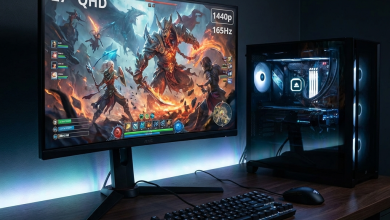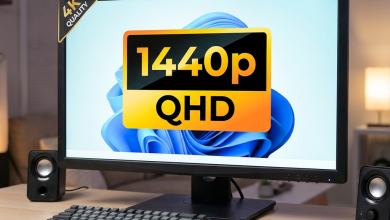
1440p resolution has become the sweet spot for PC gaming, offering meaningful visual improvements over 1080p without
the extreme hardware requirements of 4K. Yet many gamers hesitate to upgrade, assuming quality 1440p monitors
require premium investment. The reality in 2026: excellent 1440p gaming monitors now cost under $250—sometimes
significantly under—while delivering specifications that matched $400+ options just a few years ago.
Budget 1440p monitors do involve some compromises compared to premium alternatives. Features like perfect HDR
implementation, ultra-high refresh rates, and exotic panel technologies typically require higher spending. However,
the core gaming experience—high refresh rates, low response times, and adaptive sync—now comes standard even at
entry-level 1440p pricing.
This comprehensive guide examines the best budget 1440p gaming monitors under $250 in 2026, analyzing performance,
features, and value to help you find the right display for your gaming setup without overspending.
I. Why 1440p Gaming Makes Sense
Before examining specific monitors, understanding why 1440p has emerged as the gaming resolution of choice clarifies
its value proposition.
The Resolution Sweet Spot
1440p (2560×1440) resolution provides 78% more pixels than 1080p (1920×1080), translating to noticeably sharper
images, cleaner text, and more visible fine details. At typical 27-inch monitor sizes, 1440p approaches the pixel
density of 24-inch 1080p displays, eliminating the “screen door” visibility of individual pixels common on larger
1080p panels.
Compared to 4K (3840×2160), 1440p requires significantly less GPU power—roughly 40-50% less demanding at identical
settings. This reduced rendering requirement enables high refresh rate gaming on mid-range hardware, whereas 4K
high-refresh gaming demands the most powerful (and expensive) graphics cards available.
The balance positions 1440p as the optimal resolution for gaming: meaningful visual improvement over 1080p without
the extreme hardware costs of 4K.
When Budget 1440p Makes Sense
Budget 1440p monitors suit gamers who:
- Currently game at 1080p and want meaningful visual upgrade
- Own or plan to purchase RTX 4060/RX 7600 or better graphics cards
- Value resolution upgrade over exotic features like OLED or 360Hz+
- Want to maximize gaming value per dollar spent
- Need a primary gaming monitor without secondary productivity demands
Premium 1440p monitors (above $250) add better HDR implementation, superior color accuracy, wider gamut coverage,
USB-C connectivity, and other features valuable for productivity or content creation. Pure gamers often find these
additions unnecessary, making budget options excellent value.
GPU Requirements for 1440p Gaming
Matching monitor investment with appropriate GPU capability ensures you can actually utilize new display resolution:
Entry-level 1440p gaming (60-100 FPS): NVIDIA GeForce RTX 4060 or AMD Radeon RX 7600 handles most
games at high settings with 60-80 FPS in demanding titles and higher in esports games.
High-refresh 1440p gaming (100-165 FPS): NVIDIA GeForce RTX 4070 or AMD Radeon RX 7800 XT delivers
consistently high frame rates across most titles at high settings.
Maximum 1440p gaming (165+ FPS): NVIDIA GeForce RTX 4080 or AMD Radeon RX 7900 XT enables extreme
refresh rate utilization even in demanding games.
Budget 1440p monitors with 165Hz refresh rates pair well with RTX 4060-4070 class hardware—you achieve frame rates
that utilize the high refresh without overspending on either component.
II. Key Specifications for Budget 1440p Gaming
Understanding which specifications matter most helps prioritize features within budget constraints.
Refresh Rate Expectations
Budget 1440p monitors typically offer 144Hz-180Hz refresh rates, with some stretching to 200Hz. These specifications
provide excellent gaming experiences for the vast majority of gamers:
144Hz: The baseline for gaming monitors, offering dramatically smoother motion than 60Hz. More than
adequate for most gaming scenarios.
165Hz/170Hz: Common at this price point, providing marginal but real improvement over 144Hz at
minimal cost premium.
180Hz+: Premium offerings within budget range, attractive for competitive gaming focus.
For reference, achieving consistent 165+ FPS at 1440p in demanding games requires RTX 4070 or better hardware. Budget
gamers with mid-range GPUs may not notice difference between 144Hz and 180Hz monitors when actual frame rates fall
below these thresholds.
Panel Technology Considerations
Virtually all budget 1440p gaming monitors use IPS or Fast IPS technology, providing:
- Wide viewing angles (typically 178° horizontal and vertical)
- Good color accuracy out of the box
- Fast response times (1-4ms GTG typical)
- Consistent image quality regardless of viewing position
VA panels occasionally appear at budget 1440p pricing, offering better contrast ratios (3000:1 vs 1000:1 IPS typical)
at the cost of slower response times and narrower viewing angles. VA suits gamers prioritizing immersive dark scene
quality over competitive response times.
OLED technology remains above budget pricing despite becoming more accessible, with entry 1440p OLED monitors
starting around $600-$800.
Adaptive Sync Requirements
All recommended budget gaming monitors include adaptive sync technology eliminating screen tearing and V-Sync
stuttering:
FreeSync (AMD): The open standard supported by all budget gaming monitors. Works with AMD GPUs and
NVIDIA GPUs (labeled “G-Sync Compatible”).
FreeSync Premium: Adds Low Framerate Compensation (LFC) ensuring smooth operation even when frame
rates fall below the monitor’s minimum VRR range.
G-Sync Compatible: NVIDIA’s certification that FreeSync monitors work properly with their GPUs. Most
quality FreeSync monitors achieve this certification.
Dedicated G-Sync hardware modules add $100-$200 to monitor pricing, exceeding budget positioning. FreeSync Premium
monitors provide nearly identical functionality at lower cost.
Connectivity Requirements
Budget 1440p monitors typically include:
- DisplayPort 1.4: Full bandwidth for 1440p at high refresh rates (essential)
- HDMI 2.0: Limited to 1440p at 144Hz maximum, adequate for most uses
- HDMI 2.1: Uncommon at budget pricing but enables full refresh on consoles
PC gamers should prioritize DisplayPort connections for maximum refresh rate capability. Console gamers benefit from
HDMI 2.1 when available, though current-generation consoles often target 60-120Hz at 1440p anyway.
III. Best Budget 1440p Gaming Monitors Under $250
The following monitors represent the best value options in the budget 1440p category.
Gigabyte G27Q (Rev 2.0) – Best Overall Value
The Gigabyte G27Q delivers excellent all-around performance at aggressive pricing, making it our top overall
recommendation.
Key Specifications:
- Panel: 27″ IPS, 2560×1440
- Refresh Rate: 165Hz
- Response Time: 1ms MPRT
- Adaptive Sync: FreeSync Premium, G-Sync Compatible
- Brightness: 350 nits typical
- Contrast: 1000:1
- Color: sRGB 100%, DCI-P3 85%
- Connectivity: 2x HDMI 2.0, 1x DisplayPort 1.4
- Stand: Tilt only
- Price: $189-$219
Gigabyte packs impressive specifications into sub-$220 pricing. The 165Hz refresh rate exceeds the standard 144Hz,
providing marginally smoother motion at no additional cost. IPS panel technology delivers wide viewing angles and
accurate colors suitable for both gaming and general computing.
The 85% DCI-P3 coverage indicates wider color gamut than basic sRGB monitors, providing more vibrant colors in games
optimized for wide gamut displays. Factory calibration comes reasonably accurate, though enthusiasts may fine-tune
settings for personal preferences.
Primary limitation: the simple stand offers only tilt adjustment. Users requiring height, swivel, or pivot adjustment
need aftermarket monitor arms. Cable management and build quality reflect budget positioning but remain functional.
Pros: Excellent pricing, 165Hz refresh, good color coverage, FreeSync Premium, proven Gigabyte
reliability.
Cons: Limited stand adjustment, no USB hub, average contrast for IPS, HDMI 2.0 only.
AOC Q27G2E/BK – Best Budget Option
The AOC Q27G2E provides entry-level 1440p gaming at minimum pricing for budget-conscious buyers.
Key Specifications:
- Panel: 27″ IPS, 2560×1440
- Refresh Rate: 155Hz
- Response Time: 1ms GTG
- Adaptive Sync: FreeSync Premium, G-Sync Compatible
- Brightness: 250 nits typical
- Contrast: 1000:1
- Color: sRGB 110%
- Connectivity: 1x HDMI 2.0, 1x DisplayPort 1.4
- Stand: Tilt, height, swivel adjustable
- Price: $159-$189
AOC undercuts the category at under $190 while maintaining respectable gaming specifications. The 155Hz refresh rate
slightly trails competitors but remains more than adequate for most gaming. Response time and adaptive sync
performance match more expensive alternatives.
Notably, AOC includes a fully adjustable stand—height, tilt, and swivel—at pricing where competitors offer tilt-only
options. This ergonomic flexibility adds genuine practical value for users spending extended time at their setups.
The lower brightness (250 nits vs 300+ nits competitors) may challenge visibility in bright room environments. Gamers
in controlled lighting conditions won’t notice the difference, but those gaming near windows may prefer brighter
alternatives.
Pros: Lowest pricing in category, fully adjustable stand, adequate gaming performance, proven AOC
gaming reputation.
Cons: Lower brightness, slightly lower refresh rate, minimal ports, basic build quality.
ASUS VG27AQ1A – Best Brand Reliability
The ASUS VG27AQ1A offers proven ASUS gaming quality with fully adjustable ergonomics at competitive pricing.
Key Specifications:
- Panel: 27″ IPS, 2560×1440
- Refresh Rate: 170Hz
- Response Time: 1ms MPRT
- Adaptive Sync: FreeSync, G-Sync Compatible
- Brightness: 350 nits typical
- Contrast: 1000:1
- Color: sRGB 99%
- Connectivity: 2x HDMI 2.0, 1x DisplayPort 1.2
- Stand: Height, tilt, swivel, pivot adjustable
- Price: $219-$249
ASUS’s gaming monitor reputation reflects years of quality products and reliable support. The VG27AQ1A delivers the
highest refresh rate (170Hz) in the budget category with full ergonomic stand adjustment including pivot for
portrait orientation.
ASUS includes useful gaming features: Shadow Boost for dark area visibility, GamePlus with crosshair overlays and
timers, and multiple picture presets. These additions enhance gaming utility beyond raw specifications.
The older DisplayPort 1.2 specification limits future upgrade potential but remains adequate for current 1440p 170Hz
operation. Users planning extended monitor lifespan may prefer DisplayPort 1.4 alternatives.
Pros: Highest refresh rate, full ergonomic adjustment, proven ASUS quality, comprehensive gaming
features.
Cons: Upper budget pricing, older DisplayPort spec, no USB-C, higher weight than competitors.
MSI Optix G273QPF E2 – Best Design
The MSI Optix G273QPF E2 combines solid performance with attractive design aesthetics for style-conscious gamers.
Key Specifications:
- Panel: 27″ Rapid IPS, 2560×1440
- Refresh Rate: 170Hz
- Response Time: 1ms GTG
- Adaptive Sync: FreeSync Premium, G-Sync Compatible
- Brightness: 300 nits typical
- Contrast: 1000:1
- Color: DCI-P3 94%
- Connectivity: 1x HDMI 2.0b, 1x DisplayPort 1.4
- Stand: Height, tilt adjustable
- Price: $199-$229
MSI’s Rapid IPS technology delivers excellent color coverage (94% DCI-P3) alongside fast response times. This
combination suits gamers who also use their monitors for content consumption or occasional creative work—wider gamut
produces more vibrant colors across applications.
The clean design language with minimal gamer aesthetics suits professional environments better than aggressive gaming
styling. Build quality reflects MSI’s established hardware manufacturing expertise.
The height-adjustable stand improves over tilt-only competitors but lacks the swivel and pivot of premium
alternatives. Cable management integrates into the design for clean desktop presentation.
Pros: Excellent color gamut, attractive design, MSI reliability, height adjustment, DisplayPort 1.4.
Cons: Limited stand adjustment vs ASUS, one HDMI port, average brightness.
ViewSonic VX2758A-2K-PRO – Best Flat Alternative
The ViewSonic VX2758A-2K-PRO offers straightforward specifications at accessible pricing for value-focused buyers.
Key Specifications:
- Panel: 27″ IPS, 2560×1440
- Refresh Rate: 180Hz
- Response Time: 1ms MPRT
- Adaptive Sync: FreeSync Premium, G-Sync Compatible
- Brightness: 350 nits typical
- Contrast: 1000:1
- Color: sRGB 100%
- Connectivity: 2x HDMI 2.0, 1x DisplayPort 1.4
- Stand: Tilt, height adjustable
- Price: $179-$209
ViewSonic delivers the highest refresh rate in the budget 1440p category at 180Hz, positioned at mid-range pricing.
The combination creates compelling value for buyers prioritizing maximum gaming specifications per dollar.
ViewSonic’s ColorPro calibration provides reasonable out-of-box accuracy for gaming and general use. Professional
color work may benefit from custom calibration, but the factory settings satisfy most gaming requirements.
The height-adjustable stand represents good value at this price point. Build quality and cable management prove
functional without premium refinement.
Pros: Highest refresh rate (180Hz), competitive pricing, height adjustment, good brightness.
Cons: Lesser-known gaming brand, standard IPS contrast, no USB-C, HDMI 2.0 limited.
IV. Comparison and Recommendations
Recommendations by Priority
For best overall value: The Gigabyte G27Q provides excellent specifications at aggressive pricing.
Accept the tilt-only stand or plan for an aftermarket arm.
For tightest budgets: The AOC Q27G2E delivers functional 1440p gaming under $190 with surprisingly
good ergonomics. Perfect for budget-constrained buyers.
For brand reliability: The ASUS VG27AQ1A offers proven quality with full ergonomic adjustment at
reasonable premium over base options.
For color quality: The MSI Optix G273QPF E2 provides the widest color gamut (94% DCI-P3) for gamers
who also appreciate visual fidelity.
For maximum refresh: The ViewSonic VX2758A-2K-PRO achieves 180Hz at mid-range pricing for
competitive gaming focus.
V. Conclusion
Budget 1440p gaming monitors deliver exceptional value in 2026, providing the resolution upgrade from 1080p that
meaningfully improves gaming visuals without the premium pricing of just a few years ago. All recommended
monitors—Gigabyte G27Q, AOC Q27G2E, ASUS VG27AQ1A, MSI Optix G273QPF, and ViewSonic VX2758A—offer high refresh
rates, fast response times, and adaptive sync at sub-$250 pricing.
Match monitor investment with appropriate GPU capability to actually utilize 1440p resolution at high refresh rates.
Entry-level 1440p gaming works well with RTX 4060/RX 7600 class hardware, while high-refresh 1440p benefits from RTX
4070/RX 7800 XT or better.
Prioritize specifications that matter for your specific use case—stand adjustability for ergonomics, color gamut for
visual quality, or maximum refresh rate for competitive gaming. Accept reasonable compromises in areas that matter
less to extract maximum value from budget investment.
For additional monitor guidance, see our 1080p vs 1440p comparison
and refresh rate
guide.