The eternal debate between gaming desktops and gaming laptops has evolved significantly as both platforms mature and
technology advances. In 2026, the gap between mobile and desktop gaming performance has narrowed considerably, yet
fundamental differences remain that influence which platform best serves your gaming lifestyle. Understanding these
differences is crucial for making an informed investment that delivers satisfaction for years to come.
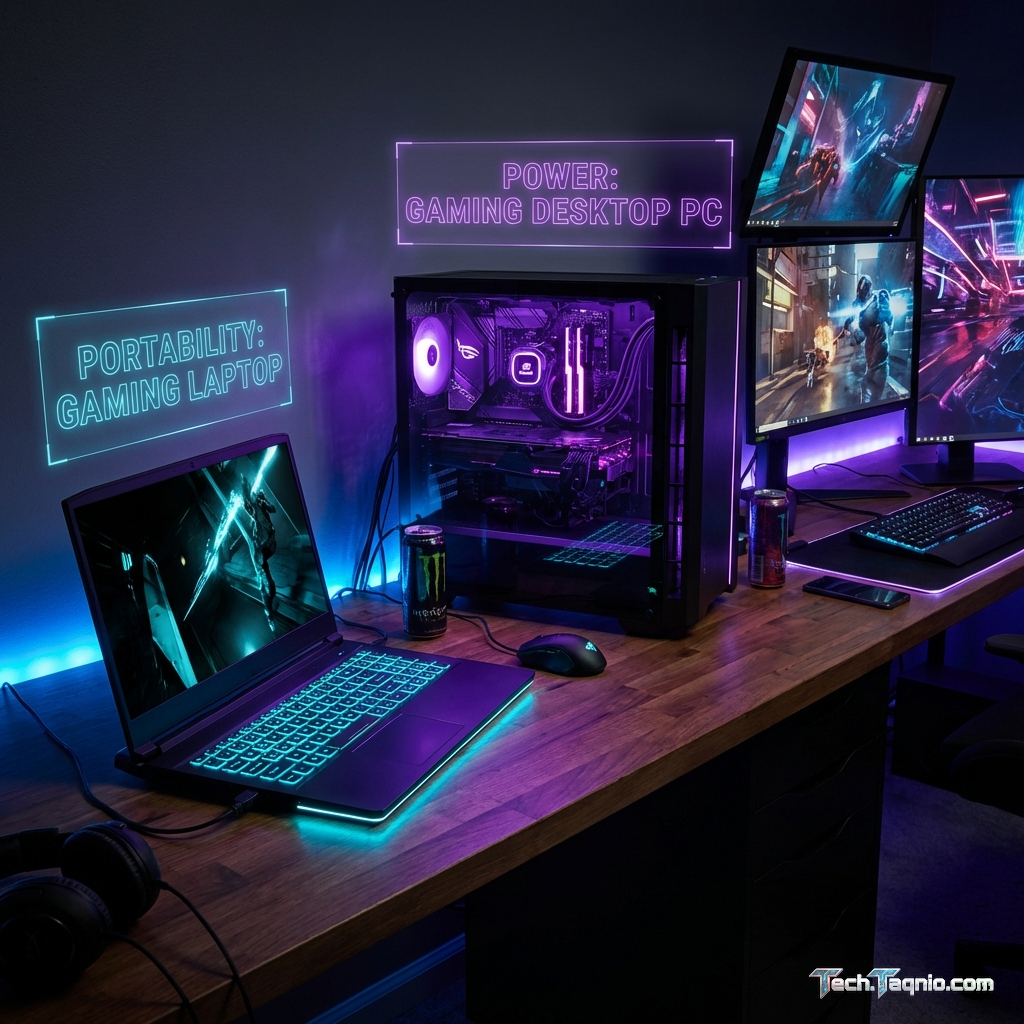
Both gaming desktops and gaming laptops have distinct advantages that appeal to different types of gamers. Desktop
systems offer raw power, upgradeability, and value for money, while laptops provide portability, convenience, and
increasingly competitive performance. The right choice depends entirely on your specific circumstances, gaming
preferences, and long-term plans.
This comprehensive comparison examines every aspect of the gaming desktop versus gaming laptop decision, from raw
performance metrics to practical considerations like space requirements and lifestyle compatibility. By the end,
you’ll have a clear understanding of which platform aligns with your gaming goals and life circumstances.
I. Performance Comparison: Raw Power Analysis
Performance remains the most significant differentiator between gaming desktops and laptops, though the magnitude of
this gap varies substantially based on budget and component selection. Understanding real-world performance
differences helps set appropriate expectations for each platform.
Graphics Processing Power
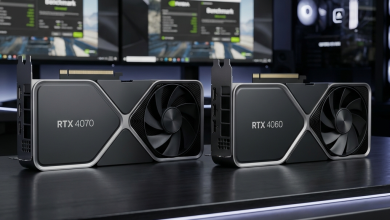
Desktop graphics cards consistently outperform their mobile counterparts, even when sharing the same product name.
For example, the NVIDIA GeForce RTX 4070 desktop variant delivers approximately 25-35% better performance than the
RTX 4070 Mobile found in gaming laptops. This difference stems from higher power limits, better cooling capacity,
and increased clock speeds that desktop environments permit.
At the flagship level, the performance gap widens further. An RTX 4080 desktop card outperforms the RTX 4090 Mobile
in many scenarios, illustrating how thermal and power constraints limit mobile graphics potential. However, for most
gamers, mobile RTX 4060 and 4070 graphics provide excellent 1080p and 1440p gaming experiences that satisfy typical
gaming demands.
The practical impact depends on your target resolution and frame rate goals. For 1080p 144Hz gaming, modern gaming
laptops with RTX 4060 or better easily achieve competitive performance. Pursuing 4K 144Hz gaming or maximum settings
in the most demanding titles favors desktop configurations with higher thermal headroom.
CPU Performance Differences
Desktop processors maintain significant advantages in multi-threaded workloads and sustained performance. The AMD
Ryzen 7 7800X3D and Intel Core i7-14700K desktop CPUs outperform their mobile counterparts by 30-50% in heavily
threaded applications. For gaming specifically, this gap narrows considerably since most games don’t fully utilize
available CPU threads.
Mobile processors like the AMD Ryzen 9 7945HX and Intel Core i9-14900HX approach desktop performance in burst
scenarios but throttle under sustained loads due to thermal constraints. Gaming laptops typically maintain
competitive gaming performance despite these limitations, as graphics cards rather than CPUs typically bottleneck
gaming frame rates.
For gamers who also stream, create content, or run productivity applications alongside gaming, desktop CPUs offer
tangible advantages. Pure gaming scenarios show smaller differences, making laptops viable even for
performance-focused gamers who prioritize portability.
Memory and Storage Considerations
Desktop platforms support faster memory configurations, with DDR5-6000 and beyond regularly achievable through
overclocking. Gaming laptops typically ship with DDR5-4800 to DDR5-5600, offering adequate performance but limiting
enthusiast optimization potential.
Storage performance approaches parity between platforms, with PCIe 4.0 NVMe SSDs common in both gaming desktops and
laptops. Desktop systems offer significant advantages in storage expansion, supporting multiple M.2 slots and
traditional SATA drives for mass storage. Gaming laptops typically include one or two M.2 slots with limited
capacity for expansion.
II. Cost Analysis: Initial Investment and Long-Term Value
Financial considerations often drive the desktop versus laptop decision. Understanding total cost of ownership rather
than just initial purchase price reveals the true economics of each platform.
Initial Purchase Price Comparison
At equivalent performance levels, gaming desktops typically cost 20-40% less than gaming laptops. A gaming desktop
with an RTX 4070 desktop GPU, quality display, keyboard, and mouse totals approximately $1,200-$1,400. A gaming
laptop with RTX 4070 Mobile graphics achieving roughly 75% of that desktop performance costs $1,400-$1,600.
This price difference reflects several factors: laptop miniaturization costs, integrated display and peripherals,
battery technology, and lower manufacturing volumes compared to desktop components. The laptop “tax” essentially
pays for the engineering required to package gaming hardware into a portable form factor.
Pre-built gaming desktops from manufacturers like NZXT, CyberPowerPC, and iBuyPower often offer better value than
building from scratch in 2026, as supply chain efficiencies and bulk component purchasing provide cost advantages
passed to consumers.
Long-Term Upgrade Costs
Desktop upgradeability represents a significant long-term value advantage. When new graphics cards release, desktop
users can upgrade for the price of the new card alone, extending system relevance for years. Laptop users face
complete system replacement when significant performance improvements become desired.
A typical desktop gaming system purchased today might receive a graphics card upgrade in 3-4 years costing $400-$600,
extending competitive gaming performance for another 3-4 years. The total investment over 7-8 years approximates
$1,800-$2,400 for consistently relevant gaming performance.
Laptop owners pursuing equivalent longevity would likely purchase two systems over that period, totaling
$2,800-$3,200 for similar cumulative gaming capability. This difference becomes less significant for users who
prefer newer complete systems rather than incremental upgrades.
Power Consumption and Operating Costs
Gaming desktops consume significantly more power during gaming sessions. A high-performance gaming desktop draws
400-600 watts under gaming load, while comparable gaming laptops consume 150-230 watts. Over years of regular
gaming, electricity costs differ noticeably.
Assuming 20 hours weekly gaming at average electricity rates, a gaming desktop might cost $150-$250 more annually in
electricity compared to a gaming laptop. This operational difference partially offsets initial purchase price
advantages, particularly in regions with higher electricity costs.
III. Portability and Lifestyle Considerations
Beyond raw performance metrics, lifestyle compatibility often determines the optimal platform choice. Gaming laptops
offer flexibility that desktops fundamentally cannot match, while desktops provide permanence and presence that
laptops cannot replicate.
Gaming Laptop Portability Benefits
The ability to game anywhere represents gaming laptops’ defining advantage. Students can game in dorm rooms, then
pack their gaming system for breaks at home. Professionals can maintain gaming capability during travel without
maintaining separate systems. Living situations that change regularly suit laptop gaming’s inherent flexibility.
Modern gaming laptops weighing 2-2.5 kg provide genuine portability despite gaming capability. Battery technology
improvements allow 2-4 hours of light gaming unplugged, though demanding titles still require outlet access. The
convenience of a single all-in-one device appeals to many gamers, especially those with limited dedicated gaming
space.
LAN parties and gaming gatherings strongly favor laptop gaming. Transporting a desktop system requires significant
effort, while a laptop slips into a backpack alongside peripherals. Social gaming scenarios often determine platform
choice for community-focused gamers.
Gaming Desktop Permanence Advantages
Desktop gaming setups offer a dedicated gaming environment that enhances the overall experience. A permanent desk
with an ergonomic gaming chair, large high-refresh monitor, quality speakers or headphone setup, and carefully
arranged peripherals creates an optimized gaming space impossible to replicate with laptops.
The psychological impact of a dedicated gaming station shouldn’t be underestimated. Sitting down at a purposefully
configured gaming desk creates a mindset transition that enhances immersion and enjoyment. This environmental factor
contributes significantly to gaming satisfaction for many enthusiasts.
Desktop systems also support multi-monitor configurations naturally, enabling simultaneous gaming and streaming, chat
management, or productivity applications. While laptops can drive external displays, dedicated desktop setups
integrate multiple screens more seamlessly.
Space Requirements and Living Situations
Available living space significantly influences platform suitability. Small apartments, shared bedrooms, or frequent
moves favor laptop flexibility. Dedicated home offices or gaming rooms make desktop systems practical and even
preferable.
Consider not just current living situations but anticipated changes over your expected ownership period. Students
expecting to move multiple times during college benefit from laptop portability regardless of current space
availability. Homeowners with dedicated gaming spaces gain little from laptop portability while sacrificing
performance and value.
IV. Upgrade Potential and Future-Proofing
Technology evolution makes upgrade capability increasingly valuable. Gaming requirements continue advancing, and the
ability to maintain system relevance through targeted upgrades significantly impacts long-term satisfaction and cost
efficiency.
Desktop Upgrade Flexibility
Gaming desktops offer comprehensive upgrade paths. Graphics card upgrades extend gaming performance most
dramatically, but CPU upgrades, RAM additions, storage expansion, and even case swaps keep systems current without
complete replacement.
Current AM5 and LGA 1700 platforms promise multi-generation CPU compatibility, allowing processor upgrades without
motherboard replacement. This platform longevity extends the value proposition significantly, as CPU and GPU
upgrades on existing platforms cost far less than complete system replacement.
Peripheral upgrades don’t require system replacement on desktops. Better monitors, keyboards, mice, and audio
equipment incrementally improve the gaming experience independently of core system components. This modularity lets
enthusiasts prioritize upgrades matching their preferences and budgets.
Gaming Laptop Upgrade Limitations
Gaming laptop upgrade options remain limited to RAM and storage on most models. GPUs, CPUs, and displays are
permanently installed, making performance upgrades impossible beyond these components. When gaming requirements
exceed system capability, complete laptop replacement becomes necessary.
The laptop upgrade cycle typically runs 3-4 years for performance-focused gamers, 4-5 years for casual gamers willing
to reduce settings over time. This lifecycle remains shorter than upgradeable desktops but represents reasonable
product longevity for technology products.
Some gaming laptops offer RAM upgrade potential from 8GB or 16GB to 32GB or 64GB, meaningfully extending system
relevance as games demand more memory. Storage expansion adding faster or larger SSDs also provides tangible
improvements. These upgrades typically cost $50-$150 and provide several additional years of competitive capability.
V. Display Quality and Visual Experience
Display characteristics directly impact gaming enjoyment, and the two platforms offer fundamentally different
approaches to visual presentation.
Monitor Options for Desktop Gaming
Desktop gaming supports virtually unlimited display choices. From 24-inch 1080p 360Hz esports monitors to 32-inch 4K
144Hz panels for immersive single-player experiences, desktop users select displays optimizing their specific gaming
preferences. Ultrawide and super-ultrawide monitors create cinematic gaming experiences impossible on laptops.
High-end desktop monitors offer specifications gaming laptops cannot match: 4K at 240Hz with HDR1000, 1440p at 360Hz
for competitive gaming, or massive 49-inch super-ultrawide panels for simulation and racing games. The monitor
market’s diversity ensures optimal display selection for any gaming priority.
Monitor upgrades occur independently of system upgrades, allowing display improvements anytime without affecting
gaming hardware. Many enthusiasts upgrade monitors more frequently than core components, continuously improving
visual quality as display technology advances.
Gaming Laptop Display Characteristics
Laptop displays have improved dramatically, with premium gaming laptops offering excellent 1440p 240Hz panels or
1080p 360Hz options for esports focus. However, laptop displays remain limited to integrated panels typically
ranging from 15.6 to 17.3 inches.
Display quality varies significantly between laptop models and price points. Premium gaming laptops feature panels
matching external monitor quality, while budget options may sacrifice color accuracy, brightness, or response times
to meet price targets. Researching specific display characteristics before purchase prevents disappointment.
Gaming laptops can drive external monitors, partially bridging the display gap. Using a laptop with a high-quality
external monitor provides desktop-like visual experience while maintaining portability when needed. This hybrid
approach suits many gamers balancing competing priorities.
VI. Thermal Management and Noise
Cooling system effectiveness influences performance, longevity, and user experience. The physical space available for
cooling creates fundamental differences between platforms.
Desktop Cooling Advantages
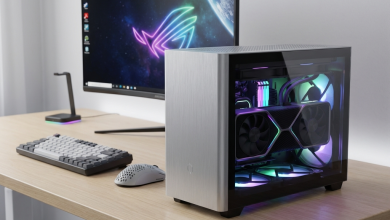
Desktop cases accommodate large tower coolers, multiple case fans, and custom liquid cooling configurations
impossible in laptops. This cooling capacity enables components running at maximum specified performance without
thermal throttling, maintaining consistent frame rates during extended gaming sessions.
Desktop cooling can achieve near-silent operation with appropriate component selection and fan curve configuration.
Cases with sound dampening, quality fans with large diameters spinning slowly, and effective heatsinks create
systems barely audible during gaming. For noise-sensitive users, desktops offer superior acoustic characteristics.
Gaming Laptop Thermal Challenges
Gaming laptops face inherent thermal constraints from compact form factors. Thin laptops especially struggle to
dissipate heat from high-performance components, resulting in thermal throttling during extended gaming sessions.
This throttling reduces performance below specifications during sustained loads.
Cooling system noise increases substantially in gaming laptops under load. Fans spinning at high speeds to manage
thermals produce obvious noise that some users find distracting. Gaming headphones mask this noise but represent an
additional requirement for comfortable extended gaming.
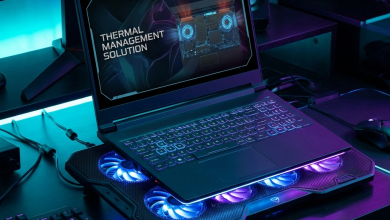
Laptop positioning affects thermal performance significantly. Using laptops on soft surfaces that block ventilation
dramatically increases temperatures and throttling. Cooling pads help somewhat but cannot overcome fundamental
thermal limitations of compact enclosures.
VII. Who Should Choose a Gaming Desktop
Certain user profiles clearly benefit from gaming desktop configurations. Recognizing yourself in these descriptions
suggests desktop gaming would serve your needs effectively.
Performance Enthusiasts
Gamers pursuing maximum frame rates, highest visual settings, and cutting-edge performance should strongly consider
desktop systems. The performance overhead and upgradeability of desktops suit enthusiasts who constantly optimize
their gaming experience and appreciate tangible performance differences.
Budget-Focused Gamers
When performance per dollar matters most, gaming desktops offer superior value. The initial price advantage compounds
with upgrade potential, making desktops the economically optimal choice for cost-conscious gamers willing to
sacrifice portability.
Content Creators and Streamers
Gamers who also stream, create videos, or work professionally benefit from desktop power and expansion. Multiple
monitors, capture cards, better microphone setups, and sustained CPU performance under combined workloads favor
desktop configurations.
Stable Living Situations
Homeowners, long-term renters, and others with stable living situations gain minimal benefit from laptop portability.
When gaming space remains available and consistent, desktop advantages outweigh portability compromises.
VIII. Who Should Choose a Gaming Laptop
Gaming laptops serve specific user profiles exceptionally well. If these descriptions match your circumstances,
laptop gaming likely represents your optimal choice.
Students and Young Professionals
Frequent moves between dorms, apartments, and family homes suit laptop portability. A single gaming laptop serving
all locations eliminates the complexity and cost of maintaining multiple systems or transporting desktop equipment.
Travelers and Mobile Professionals
Work travel, remote work situations, or lifestyle choices involving frequent location changes make laptop gaming the
practical choice. Gaming laptops provide entertainment during travel, hotel stays, and temporary living situations
where desktop gaming wouldn’t be feasible.
Space-Constrained Gamers
Limited living space, shared bedrooms, or temporary accommodations favor laptop compactness. When dedicated desk
space for a permanent gaming setup isn’t available, laptops provide gaming capability without space commitment.
Social Gamers
Gamers who regularly attend LAN parties, gaming meetups, or prefer gaming at friends’ houses benefit from laptop
portability. The ability to bring your complete gaming system anywhere enables social gaming experiences impractical
with desktop systems.
IX. Making Your Final Decision
Both gaming desktops and gaming laptops offer genuine gaming experiences in 2026, making either choice valid
depending on circumstances. Consider these factors for your final decision:
Prioritize desktop if: Maximum performance matters most, you have stable living arrangements with
dedicated gaming space, you prefer upgrading components over replacing systems, or you value silence during gaming
sessions.
Prioritize laptop if: Portability enhances your gaming lifestyle, your living situation changes
regularly, you game in multiple locations, or space constraints prevent dedicated gaming setups.
The performance gap between platforms continues narrowing while laptops increasingly satisfy demanding gaming
requirements. Unless pursuing absolute maximum performance, gaming laptops in 2026 provide experiences
indistinguishable from desktops for most gaming scenarios.
X. Conclusion
The gaming desktop versus gaming laptop decision ultimately reflects your personal circumstances rather than
objective platform superiority. Gaming desktops deliver better raw performance, superior value, and comprehensive
upgradeability. Gaming laptops offer portability, convenience, and increasingly competitive performance that
satisfies most gaming needs.
Consider your living situation stability, gaming space availability, portability needs, and budget constraints
honestly. The platform matching your lifestyle provides the most satisfying long-term gaming experience, regardless
of theoretical performance rankings.
Both platforms continue advancing rapidly, with each generation reducing previous disadvantages while amplifying core
strengths. Whatever you choose, the current generation of gaming hardware ensures excellent gaming experiences that
would have seemed impossible just a few years ago.
For more guidance on choosing gaming hardware, check our guides on the best pre-built gaming
PCs for different budgets and how to choose the right
gaming laptop for your specific needs.