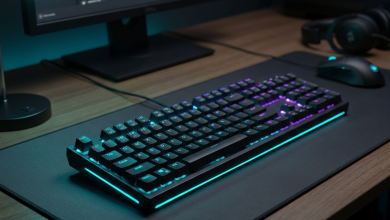
The mechanical keyboard has become essential equipment for serious gamers, offering tactile feedback, faster
actuation, and durability that membrane keyboards simply cannot match. Understanding the differences between switch
manufacturers—Cherry MX, Gateron, and Kailh—helps gamers select keyboards that enhance rather than hinder
competitive performance. The right switch choice can mean the difference between consistent key registration and
frustrating missed inputs during crucial gaming moments.
The mechanical keyboard market in 2026 has expanded beyond the traditional Cherry MX monopoly into a diverse
ecosystem of switch options. Gateron has emerged as a formidable competitor offering smoother keystrokes at lower
prices, while Kailh has innovated with unique switch designs unavailable from other manufacturers. Each brand brings
distinct characteristics to key feel, sound, actuation, and longevity, making informed selection increasingly
important for discerning gamers.
This comprehensive guide examines mechanical keyboards for gaming through the lens of switch comparison, analyzing
Cherry MX, Gateron, and Kailh offerings across gaming-relevant specifications. We’ll explore actuation
characteristics, switch types, premium keyboard recommendations, and help you identify the optimal keyboard for your
gaming style and preferences.
I. Understanding Mechanical Keyboard Switches for Gaming
Before comparing specific switch brands, understanding how mechanical switches work and which characteristics matter
for gaming establishes evaluation criteria. Mechanical switches affect every keystroke, making this knowledge
fundamental to keyboard selection.
How Mechanical Switches Work
Mechanical switches consist of several components: a housing (top and bottom), a stem that moves vertically when
pressed, a spring that provides resistance and return force, and metal contact leaves that register the keypress.
When you press a key, the stem pushes down, compressing the spring and eventually triggering the contact mechanism
to register input.
Unlike membrane keyboards where a rubber dome completes circuits, mechanical switches use precisely engineered metal
contacts that provide consistent actuation across millions of presses. This consistency translates to reliable input
registration—critical when a single missed input can cost a competitive match.
The stem design determines how the switch feels during actuation. Linear switches provide consistent resistance
throughout the press with no tactile bump or audible click. Tactile switches feature a bump at the actuation point
that provides physical feedback without necessarily producing loud sound. Clicky switches combine tactile bump with
an audible click, offering maximum feedback at the cost of noise.
Key Specifications That Matter for Gaming
Actuation Force: Measured in grams (g) or centinewtons (cN), actuation force indicates how much
pressure triggers key registration. Lower actuation forces (35-45g) enable faster repeated presses but increase
accidental activation risk. Higher forces (55-65g) provide more controlled input but may cause fatigue during
extended sessions. Most gaming switches range from 45-55g.
Actuation Point: The distance the key travels before registering, measured in millimeters. Standard
actuation occurs around 2.0mm, while “speed” switches actuate at 1.0-1.2mm for faster input registration. Shorter
actuation theoretically provides competitive advantage but requires adjustment from traditional typing experience.
Total Travel: Complete key travel distance from rest to bottoming out, typically 3.6-4.0mm for
standard switches. Shorter travel switches (3.0-3.4mm) reset faster, potentially improving repeated key presses,
though some typists prefer full travel depth.
Pre-travel and Reset Point: Pre-travel indicates distance traveled before actuation; reset point
indicates where the key must rise to before re-registration. Switches with reset points close to actuation points
enable faster double-tapping—important for gaming techniques like bunny-hopping or rapid-fire abilities.
Switch Types for Gaming
Linear Switches: Most popular for gaming due to consistent force curves enabling smooth, rapid
actuation. Without tactile bumps interrupting motion, linear switches provide the fastest possible key presses.
Popular examples include Cherry MX Red, Gateron Red/Yellow, and Kailh Red.
Tactile Switches: Preferred by gamers who want feedback without excessive noise. The tactile bump
confirms key registration without requiring full bottom-out, potentially reducing finger fatigue. Cherry MX Brown,
Gateron Brown, and Kailh Brown represent this category.
Clicky Switches: Less common for gaming due to noise concerns, though some players prefer audible
confirmation of key presses. The click provides definitive feedback but can interfere with voice communication and
annoy teammates or household members. Cherry MX Blue and Kailh Box White represent clicky options.
II. Cherry MX Switches: The Industry Standard
Cherry MX switches established the mechanical keyboard standard that competitors now reference. German engineering
and decades of refinement have created switches known for consistency and reliability, though premium pricing
reflects brand heritage as much as technical superiority.
Cherry MX Red – Gaming Standard
Cherry MX Red switches represent the default gaming choice, featuring linear operation with 45g actuation force and
2.0mm actuation point. The smooth keystroke without tactile interruption enables rapid, consistent key presses ideal
for gaming applications where speed matters more than typing feedback.
The 4.0mm total travel provides full key depression depth that many touch-typists prefer, though gamers focused
purely on rapid actuation may find this excessive. The reset point at approximately 1.9mm sits close to the
actuation point, enabling reasonably fast double-tapping.
Cherry rates MX Red switches for 100 million actuations, exceeding any reasonable keyboard lifespan. The consistent
feel across production batches reflects Cherry’s quality control, ensuring every MX Red switch performs identically.
Best suited for: Gamers seeking proven reliability with a smooth, light linear feel. Particularly
popular in FPS and MOBA gaming where rapid, repeated key presses dominate gameplay.
Cherry MX Speed Silver – Rapid Actuation
Cherry MX Speed Silver switches reduce actuation point to 1.2mm with 45g force, theoretically providing 40% faster
actuation than standard MX Red. The reduced total travel of 3.4mm further accelerates key reset for rapid repeated
presses.
The speed advantage comes with adaptation requirements. Touch typists may experience accidental activations during
rest positioning, as the shortened actuation distance reduces margin for error. Dedicated gaming use where keys
receive intentional presses benefits most from Speed Silver characteristics.
Production consistency matches other Cherry MX switches, with 100 million actuation lifespan ensuring long-term
reliability despite the modified mechanism.
Best suited for: Competitive gamers seeking every possible input speed advantage. Particularly
valuable for rhythm games, fighting games, and any genre where input timing precision provides measurable advantage.
Cherry MX Brown – Tactile Compromise
Cherry MX Brown attempts to bridge gaming and typing requirements with a subtle tactile bump at 2.0mm actuation and
55g force. The tactile feedback confirms key registration without requiring complete bottom-out, potentially
reducing finger strain during extended sessions.
The bump’s subtlety divides opinion—some find it provides useful feedback, while others consider it neither
satisfying for typing nor as smooth as linear alternatives for gaming. This “jack of all trades” positioning
attracts users who need one keyboard for both work and gaming.
Linear purists often find the tactile bump interferes with smooth rapid actuation, particularly in games requiring
sustained rapid key presses. However, players who valued typing comfort alongside gaming capability may appreciate
the compromise.
Best suited for: Users who type extensively and game regularly, seeking one keyboard for both
applications. Provides decent gaming performance while offering typing feedback missing from linear switches.
Cherry MX Switch Comparison Table
| Switch Model | Type | Actuation Force | Actuation Point | Total Travel |
|---|---|---|---|---|
| Cherry MX Red | Linear | 45g | 2.0mm | 4.0mm |
| Cherry MX Speed Silver | Linear | 45g | 1.2mm | 3.4mm |
| Cherry MX Brown | Tactile | 55g | 2.0mm | 4.0mm |
| Cherry MX Black | Linear | 60g | 2.0mm | 4.0mm |
| Cherry MX Blue | Clicky | 60g | 2.2mm | 4.0mm |
III. Gateron Switches: Smooth Alternative
Gateron has emerged as Cherry MX’s primary competitor by offering smoother keystrokes at substantially lower prices.
Founded in 2000, this Chinese manufacturer has refined switch production to challenge Cherry’s market position,
earning particular favor in the enthusiast mechanical keyboard community.
Gateron Red – Budget-Friendly Smooth
Gateron Red switches match Cherry MX Red specifications (45g force, 2.0mm actuation, 4.0mm travel) while typically
providing noticeably smoother keystroke feel. The smoothness stems from slightly looser housing tolerances, which
while reducing precision marginally, creates a butter-smooth key press many users prefer.
At approximately 50-60% of Cherry MX pricing, Gateron Red switches enable high-quality mechanical keyboards at
accessible price points. Budget gaming keyboards increasingly feature Gateron switches, providing genuine mechanical
experience without premium pricing.
Durability ratings of 50-80 million actuations (depending on generation) fall below Cherry’s 100 million but exceed
any practical requirement. Real-world reliability has proven excellent, with Gateron switches demonstrating
consistency rivaling Cherry after years of community testing.
Best suited for: Budget-conscious gamers seeking smooth linear experience. Particularly valuable for
first mechanical keyboard purchases where Cherry premiums aren’t justified.
Gateron Yellow – Community Favorite
Gateron Yellow switches occupy a unique position with 50g actuation force—heavier than Red but lighter than Black.
This “medium weight” linear feels substantial without causing fatigue, earning widespread community praise as an
ideal gaming switch.
The slightly increased weight reduces accidental activation while maintaining smooth, rapid actuation suitable for
gaming. Many enthusiasts consider Gateron Yellow the best stock linear switch available, offering optimal balance
without modification.
Pre-lubed versions (Gateron Yellow Pro, Gateron Milky Yellow) enhance smoothness further, providing
near-custom-quality experience without requiring manual lubrication. These variants cost marginally more while
delivering significantly improved typing and gaming experience.
Best suited for: Gamers seeking optimal linear feel at reasonable pricing. The medium weight suits
users finding light switches too sensitive and heavy switches too fatiguing.
Gateron Milky Switches – Enhanced Smoothness
Gateron’s “Milky” housing variant features translucent milky-white housings that provide both aesthetic appeal and
slightly different sound characteristics. The milky top housing creates a deeper, less hollow sound compared to
clear-top Gateron variants.
Beyond aesthetics, Milky switches typically feature improved smoothness from revised molds. The enhanced smoothness
approaches lubed switch feel without the time investment of manual lubrication, making Milky switches particularly
popular among keyboard enthusiasts.
Milky Yellow, Milky Red, and Milky Black variants are available, each offering the same specification improvements
over standard Gateron equivalents. The modest price premium (typically $5-10 per keyboard) provides substantial feel
improvement.
Best suited for: Users wanting better stock switch feel without manual modification. Excellent value
proposition for gaming and typing applications.
IV. Kailh Switches: Innovation Leadership
Kailh has differentiated through innovation rather than directly competing with Cherry specifications. Their unique
switch designs—Box switches, Speed switches, and specialty options—provide characteristics unavailable elsewhere,
attracting users seeking specific performance attributes.
Kailh Box Switches – Durability Innovation
Kailh Box switches feature an innovative design encasing the contact mechanism within a protective box, significantly
improving dust and water resistance. This protection enhances long-term reliability, particularly for users in dusty
environments or prone to beverage accidents near keyboards.
Box switches feel distinctly different from traditional Cherry-style switches due to their unique stem design. The
reduced stem wobble provides more stable keypresses, though some users miss the slight wobble traditional switches
exhibit. Switch typing feel tends to be slightly scratchier than smooth Gateron alternatives but more stable
overall.
Kailh Box Red (45g linear), Box Brown (45g tactile), and Box White (45g clicky) provide standard options, while
specialty variants like Box Navy (thick click) and Box Jade (thock click) offer unique clicky experiences
unavailable from other manufacturers.
Best suited for: Users prioritizing durability and stability over absolute smoothness. Excellent for
gaming setups exposed to environmental hazards.
Kailh Speed Switches – Rapid Actuation
Kailh Speed switches reduce actuation point to 1.1mm with 40g force, making them among the fastest-actuating switches
available. The aggressive actuation specifications target competitive gamers seeking maximum input speed advantage.
Speed Silver (linear), Speed Bronze (clicky), and Speed Copper (tactile) variants provide different feel preferences
at the same rapid actuation specification. The Speed Silver linear variant particularly suits gaming applications
where feel preference doesn’t matter as much as input speed.
The very short actuation distance requires significant adjustment from traditional keyboards. Touch typing becomes
challenging as normal resting pressure may trigger unintended inputs. Dedicated gaming use where keys receive
intentional presses maximizes Speed switch benefits.
Best suited for: Competitive gamers seeking every possible input speed advantage, willing to
sacrifice typing comfort for gaming performance.
Kailh Box Cream – Premium Option
Kailh Box Cream switches represent Kailh’s premium offering, combining Box durability with a smooth, creamy linear
feel. The self-lubricating POM housing provides smoothness approaching factory-lubed switches without additional
modification.
At 55g actuation force, Box Cream switches feel slightly heavier than typical gaming switches, providing controlled
input suitable for precise gaming applications. The premium feel costs approximately 2x standard Kailh switches but
delivers noticeably improved experience.
Limited availability in pre-built keyboards means Box Cream typically requires custom keyboard building or hot-swap
keyboard purchase. For enthusiasts willing to invest time and money, the resulting experience justifies additional
effort.
Best suited for: Enthusiasts seeking premium linear feel with Box protection. Requires hot-swap or
custom keyboard for implementation.
V. Switch Comparison: Cherry MX vs Gateron vs Kailh
Direct comparison across manufacturers highlights strengths and weaknesses for gaming applications. Understanding
these differences enables informed selection based on specific priorities.
| Attribute | Cherry MX | Gateron | Kailh |
|---|---|---|---|
| Smoothness (Stock) | Good | Excellent | Moderate |
| Consistency | Excellent | Very Good | Good |
| Durability Rating | 100M | 50-80M | 80-100M |
| Price Point | Premium | Budget-Friendly | Mid-Range |
| Unique Options | Limited | Some | Extensive |
| Brand Recognition | Industry Standard | Growing | Enthusiast |
VI. Best Gaming Keyboards by Switch Type
Specific keyboard recommendations for each manufacturer help translate switch knowledge into purchasing decisions.
Best Cherry MX Keyboard: Corsair K70 RGB Pro – $169
The Corsair K70 RGB Pro represents premium Cherry MX implementation, featuring MX Red, Speed Silver, or Brown switch
options in an aluminum frame. The per-key RGB lighting, dedicated media controls, and comprehensive software support
create an excellent gaming platform.
The K70 RGB Pro includes PBT double-shot keycaps, tournament switch for disabling Windows keys, and 8000Hz
hyper-polling technology. Corsair’s iCUE software provides extensive customization for lighting and macro
programming.
Ideal for: Gamers who want proven Cherry MX reliability with premium build quality and features.
Best Gateron Keyboard: Keychron K8 Pro – $109
The Keychron K8 Pro offers excellent Gateron Red, Brown, or Blue switches in a wireless TKL (tenkeyless) design with
hot-swap capability. The ability to swap switches without soldering enables future customization as preferences
evolve.
Bluetooth 5.1 and USB-C connectivity options provide versatility for both desktop and mobile use. Mac and Windows
layout support accommodates multiple operating system users.
Ideal for: Users seeking Gateron smoothness with hot-swap flexibility at reasonable pricing.
Best Kailh Keyboard: GMMK Pro – $169
The Glorious GMMK Pro 75% keyboard ships with Kailh Box switches pre-installed (or bare for custom switch
installation). The gasket-mounted aluminum construction provides premium feel complementing Kailh switch
characteristics.
Hot-swap sockets accept any 3-pin or 5-pin MX-style switch, enabling experimentation across manufacturers. The rotary
encoder, per-key RGB, and South-facing LEDs round out the enthusiast feature set.
Ideal for: Enthusiasts who want Kailh Box durability with premium construction and customization
options.
VII. Making Your Gaming Keyboard Decision
Systematic evaluation of priorities leads to optimal keyboard selection. Consider these factors in order of personal
importance.
Gaming Performance Priority
If competitive gaming performance ranks highest, linear switches with short actuation provide objective advantages.
Cherry MX Speed Silver, Gateron Red, or Kailh Speed switches offer the fastest input registration for competitive
applications.
Hot-swap keyboards enable switch experimentation to find personal optimal switches. Starting with a hot-swap board
like Keychron K8 Pro or GMMK Pro allows trying different switches without replacing entire keyboards.
Typing Comfort Priority
Users who type extensively alongside gaming may prefer tactile switches that provide feedback without gaming
performance sacrifice. Cherry MX Brown, Gateron Brown, or Kailh Box Brown balance both applications reasonably well.
Consider hand fatigue during extended sessions. Lighter switches (45g) may cause faster fatigue from repeated
impacts, while heavier switches (55g+) may cause fatigue from required actuation force. Medium weight options
provide compromise positions.
Budget Priority
Gateron switches deliver excellent performance at lower prices than Cherry MX equivalents. Keyboards featuring
Gateron switches often cost $30-$50 less than Cherry MX alternatives with comparable build quality.
Budget keyboards with Gateron switches frequently outperform similarly-priced Cherry MX keyboards due to
manufacturing cost allocation differences.
VIII. Conclusion
Mechanical keyboard switch selection for gaming ultimately comes down to personal preference informed by
understanding differences between options. Cherry MX provides proven reliability and consistency with
industry-standard feel. Gateron offers smoother keystrokes at lower prices, representing excellent value. Kailh
innovates with unique options like Box switches and Speed variants unavailable elsewhere.
For most gamers, Gateron Red or Yellow switches in a quality keyboard provide optimal value—smooth linear feel at
accessible prices. Cherry MX justifies premium pricing for users prioritizing proven reliability and brand
assurance. Kailh serves users seeking specific characteristics like exceptional durability (Box switches) or extreme
actuation speed (Speed switches).
Hot-swap keyboards enable experimentation across manufacturers, removing commitment from initial keyboard purchases.
Consider starting with a quality hot-swap platform, then explore various switches to discover personal preference
rather than committing based on specifications alone.
For complete gaming peripherals guidance, explore our articles on choosing
gaming mice for FPS and budget gaming
keyboard recommendations.